[How-to] Grist Free Usage Limits 2026: Where the 'Per Document' Catch Hides
- Free tier: Yes
- Cheapest paid plan: US$10/mo and up
- Free quota: Unlimited total number of documents, single-document limit of 5,000 …
- Last checked: 2026-10-22
Article last updated: 2026-10-22



Grist markets itself as a spreadsheet that thinks like a database. You get the familiar grid of rows and columns, but underneath sits a relational engine — tables that link to each other — plus Python formulas and an AI Assistant. The free tier is generous enough to run a real project on. But the headline limit everyone quotes gets read wrong, and reading it wrong is the difference between “this is plenty” and “I hit a wall in week two.”
So this guide does two things. It walks a beginner from zero to a working document, and it pins down exactly what the free tier can and can’t hold — because the most important word in Grist’s limit is one the number hides.
The free tier, read correctly
Here is the part people skim past. Grist does not cap how many documents you create on the free plan. You can spin up as many as you want. The cap is per document: each single document can hold up to 5,000 rows of data (Grist calls a row a “record” — one entry, like one contact or one invoice) and up to 10 file attachments.
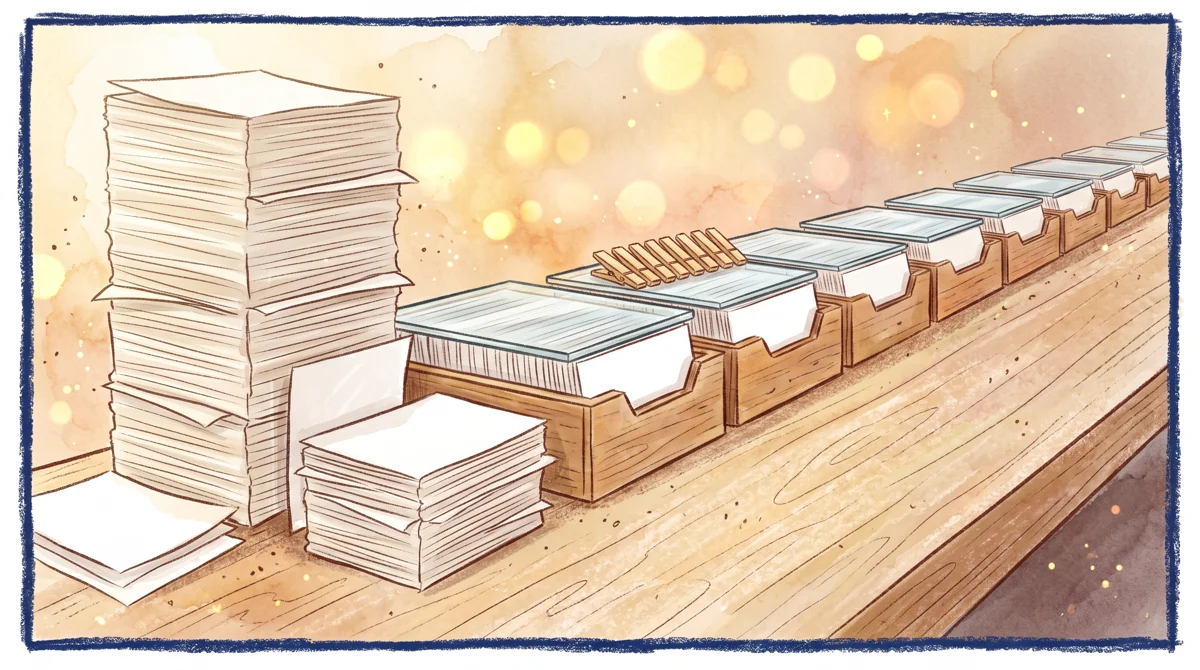
Illustration: While you can create countless separate documents, every single one faces the exact same fixed capacity ceiling.
That distinction changes everything.
If you read “5,000 rows” as a total account allowance, Grist looks tight. Read it correctly — 5,000 rows in each document, unlimited documents — and the free tier is roomy for anyone who organizes work into separate files. A document per client, a document per project, a document per year: each one gets its own 5,000-row budget.
The trap is the opposite habit. If you’re the kind of person who dumps everything into one master sheet — all customers, all orders, all history in a single file — you will hit 5,000 rows and stop, while the “unlimited documents” allowance sits unused. The fix is a mindset shift, not a payment: split the data across documents.
The free tier also includes the basic AI Assistant — the built-in helper that writes Python formulas for you when you describe what you want in plain language. For a beginner who doesn’t know Grist’s formula syntax, that alone removes most of the early friction.
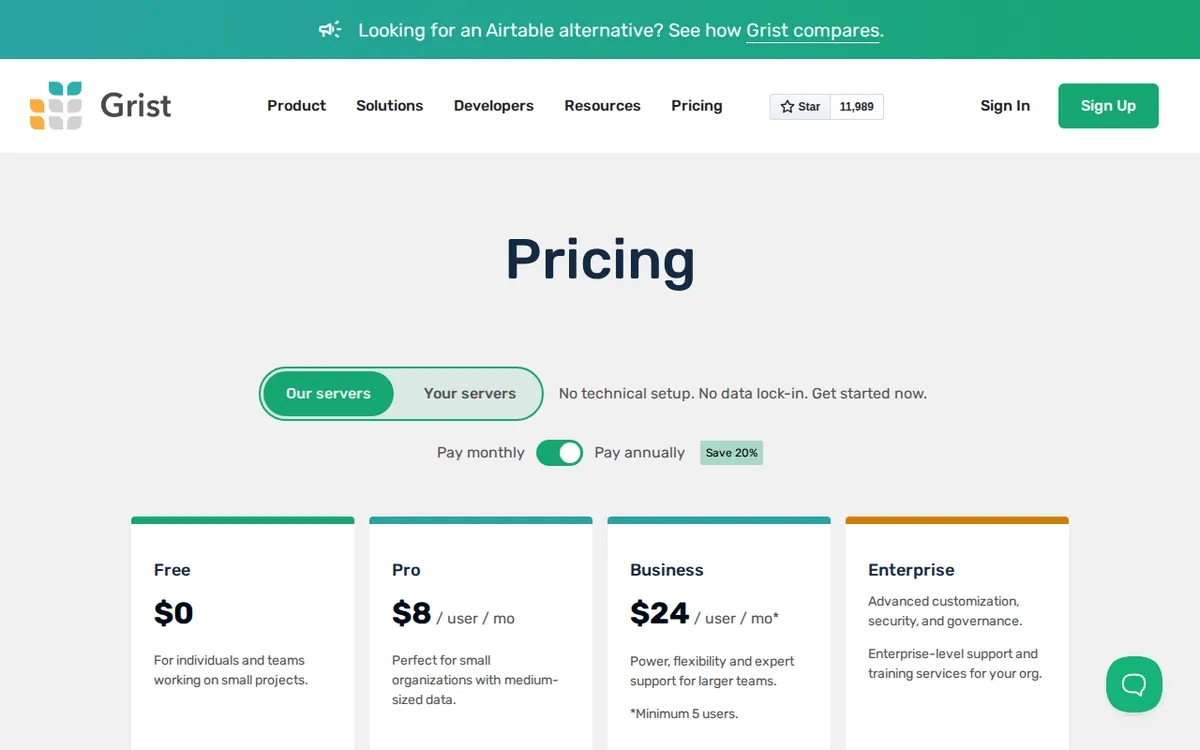
Figure: getgrist.com official pricing page, captured 2026-10-22.
From zero to a working document
You don’t need to understand relational databases to start. Here’s the shortest path to something useful.
1. Sign up and open a blank document. Go to getgrist.com and create an account. A “document” is your workspace — it can hold several tables that talk to each other.
2. Import or type your data. Paste from a spreadsheet, upload a CSV (a plain comma-separated file any spreadsheet can export), or just start typing in the grid. Grist guesses column types as you go.
3. Set column types deliberately. This is where Grist beats a plain spreadsheet. Tell a column it’s a Date, a Reference (a link to a row in another table), or a Choice (a fixed dropdown). Reference columns are the whole point — they let one table pull live data from another instead of copy-pasting.
4. Add a formula column. Click to add a column, choose “formula,” and either write Python or describe it to the AI Assistant: “total price times quantity.” It writes the code. Formulas recalculate automatically, like a spreadsheet, but with Python’s full power behind them.
5. Build a view, not just a grid. Grist lets you add Card views, charts, and filtered pages on top of the same data. A beginner’s instinct is to live in the raw grid; the payoff comes from making a clean “page” that hides the mess.
That’s a functional database. No code background required.
Common blockers and how to clear them
“I’m near 5,000 rows.” Don’t panic-upgrade. First ask whether this should be one document or several. Historical data, archived projects, or a different client almost always belong in their own file — each with a fresh 5,000-row allowance. Splitting is free. Only upgrade when a single dataset genuinely needs to stay together above 5,000 rows.
“I ran out of attachments.” The free tier allows 10 attachments per document. If you’re storing lots of files, Grist is the wrong home for them — keep files in dedicated storage and link to them with a URL column. Treat Grist as the index, not the file cabinet.
“The AI Assistant stopped helping.” On Pro, AI usage is metered in credits (more on that below). On the free tier you have the basic Assistant; if a complex request fails, break it into smaller, plainer instructions, or search Grist’s formula docs for the Python function you need.
“I don’t understand References.” This is the single most common beginner stumble. A Reference column doesn’t copy data — it points at a row in another table, so when the source changes, your view updates. If a lookup looks “broken,” check that the Reference column points at the right table and that the target row actually exists.
What Pro actually adds
The paid plan is Pro, priced per seat — a “seat” is one user login you pay for. Monthly billing is US$10 per user per month. On annual billing the average works out to US$8 per user per month, charged as US$96 per year. (The data gives no other totals, so those are the only figures here — don’t assume a monthly-times-twelve number; it isn’t published.)
For that, Pro lifts the ceilings:
- No limit on the number of documents (the free tier already has this, so it’s not the reason to pay).
- Up to 100,000 rows per single document — a 20× jump on the per-document cap, and the real reason to upgrade if one dataset must stay whole.
- Snapshot history kept for 3 years — snapshots are automatic saved versions of your document, so you can roll back. Useful if you need an audit trail.
- 100 AI credits per month — one credit is roughly one AI Assistant request; this is the metered allowance beginners rarely exhaust but power users can.
- Higher MCP quota. MCP (Model Context Protocol) is the standard that lets external AI tools read and act on your Grist data. If you’re wiring Grist into an AI agent workflow, you get more headroom.
The honest read: most beginners and small projects never need Pro. You pay when a single document outgrows 5,000 rows and can’t be split, when you need the 3-year rollback trail, or when you’re pushing AI and MCP integrations hard.
🔍 AMPM exclusive check
Two things the pricing page states as a number but doesn’t emphasize in plain words, and that we want you to read correctly:
The 5,000-row limit is per document, not per account. The vendor lists it as a feature value; it does not spell out that unlimited documents each get their own allowance. That’s the loophole that makes the free tier far more usable than the number suggests — and the trap for anyone building one giant file. Verified 2026-10-21.
One caution on our side. Grist entered our tracker as an automatic challenger candidate. We have run the data once — a single pass straight from the official site and pricing page — and have not yet put it through our three-way manual cross-check. Every number above matches what the pricing page showed on 2026-10-21, but treat free-tier allowances and commercial terms as “confirm on the official page before you commit,” because a one-pass check is exactly the kind that can miss a footnote. We’ll flag any correction after the full cross-check.
Verdict: who should use it, who should skip it
Use the free tier if you organize work into separate documents, keep each dataset under 5,000 rows, store files elsewhere, and want a real relational database without paying. For most personal projects, small trackers, and client-by-client setups, free is genuinely enough.
Go Pro (US$10 per user per month, or US$96 per year on annual billing) if one dataset must stay in a single document above 5,000 rows, you need the 3-year snapshot history for an audit trail, or you’re building AI/MCP integrations that need the credit and quota headroom.
Skip Grist entirely if you want a plain spreadsheet with no learning curve — References and Python formulas are its strength, but they’re a step up from a flat grid, and you’ll pay that cost in the first week.
Written: 2026-10-22 Price last verified: 2026-10-21 Tool last health-checked: 2026-10-21
🔗 Related on AMPM
📎 Sources
All prices and quotas in this article come from AMPM’s verified dataset for Grist (last verified 2026-10-21); primary sources:
🐾 Meet the cats: AMO and PIMI

AMPM is a Taiwan-based AI-tool pricing watchdog. Our motto: ask before you subscribe. Two cats argue every tool from two sides:
- ☀️ AMO — the budget-minded cat. Always asks: is the free tier enough, and is paying actually worth it?
- 🌙 PIMI — the performance-minded cat. Cares about whether it works well, fast, and gets your job done.

When they are done arguing, you know whether to pay. Every number is checked by us, with the verification date at the end.
🐾 Our sister sites also checked
Read next
- Grist Full breakdown: pricing, features and real-world limits
- Grist Alternatives
- Free plan limits for every AI tool we track
