[How-to] mymind Free vs Paid: Why the Cheapest Plan Skips the AI
- Free tier: Yes
- Cheapest paid plan: US$4.99/mo and up
- Free quota: The Guest free plan is limited to 100 cards (once the 100-card limit …
- Last checked: 2026-11-02
Article last updated: 2026-10-22



mymind sells itself as an “AI second brain” — a private place where software reads the links, images, and quotes you save and files them for you. So here’s the thing worth knowing before you pay: its cheapest paid plan is the one that leaves the AI out. The real choice most people face isn’t “free or paid.” It’s “free, then which paid tier” — and the entry price is set up to look like a deal while quietly removing the features mymind is known for.
This guide walks a beginner from a blank account to a working setup, shows exactly what the free tier can and can’t do, and flags the blocker that stops most people cold.
Start here: saving your first cards
In mymind, everything you save becomes a card — one saved item on a wall. A card can be a bookmark (a saved link), an image, a quote, a note, or a file. There are no folders to set up first. You save, and the card appears.
To get productive on day one:
- Sign up for the Guest free plan. No payment is needed to start.
- Install the browser extension or mobile share option. This is how you capture things — a product page, an article, a screenshot — without leaving what you’re doing. On a phone, you use the share sheet; on a desktop, a single click on the extension.
- Save a mix on purpose. Drop in a link, an image, and a quote. This is how you learn what each card type looks like and how search behaves later.
- Search instead of organizing. mymind’s whole pitch is that you don’t build a folder tree. You save now and find later by typing what you remember.
That’s the loop. Save, trust it’s there, search when you need it. For a lot of people the free account alone covers light use — a personal stash of references, recipes, design inspiration, things to read.
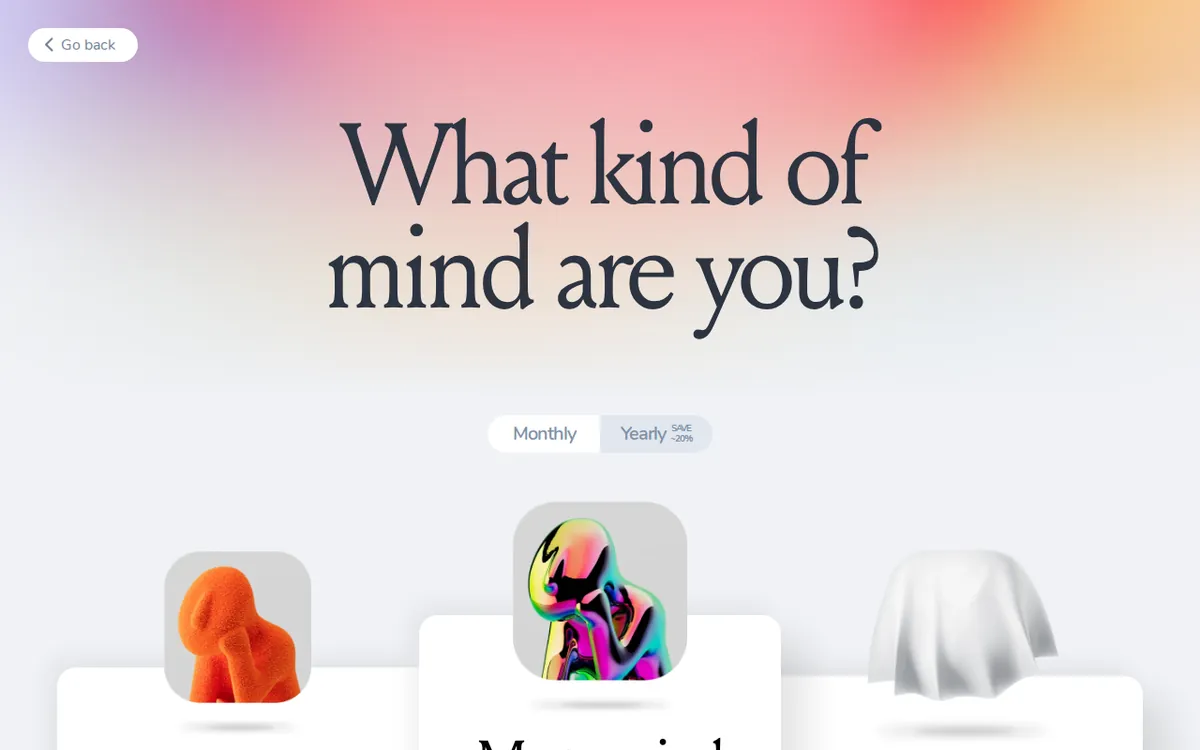
Figure: access.mymind.com official pricing page, captured 2026-10-22.
The 100-card ceiling and what happens when you hit it
Here’s the free tier’s hard edge, and it’s the number you should plan around: the Guest free plan caps you at 100 cards.
A few things to understand about that limit, because they change how you should use the free account:
- It’s a ceiling, not a rolling window. 100 is the total you can hold, not 100 per month.
- Hitting it stops new saves. Once you reach 100 cards, you can’t keep saving until you pay. The capture habit you just built goes dead at the worst moment — mid-flow, when you’re saving something you actually care about.
- There’s no rollback. You don’t drop back under the limit by some automatic cleanup. You either delete cards yourself to make room or you upgrade.
So the practical how-to advice: treat the free 100 as an audition, not a home. Use it to decide whether mymind’s save-and-search model fits your brain. If after 80-ish cards you’re reaching for it daily and your searches keep landing, you’ve got your answer. If you forget it’s there, the free tier told you everything you needed to know for free.
Common blocker: people bulk-import a pile of old bookmarks on day one, blow past a usable test in an afternoon, and conclude the tool is “too limited.” Don’t front-load it. Save real things as they come up, so the 100 cards actually reflect how you’d use it.
Picking a paid plan — and why the cheapest one is a trap for the AI
mymind runs on a subscription — a recurring charge, monthly or yearly. There are three paid tiers, and the gap between the first two is the single most important thing on the pricing page.
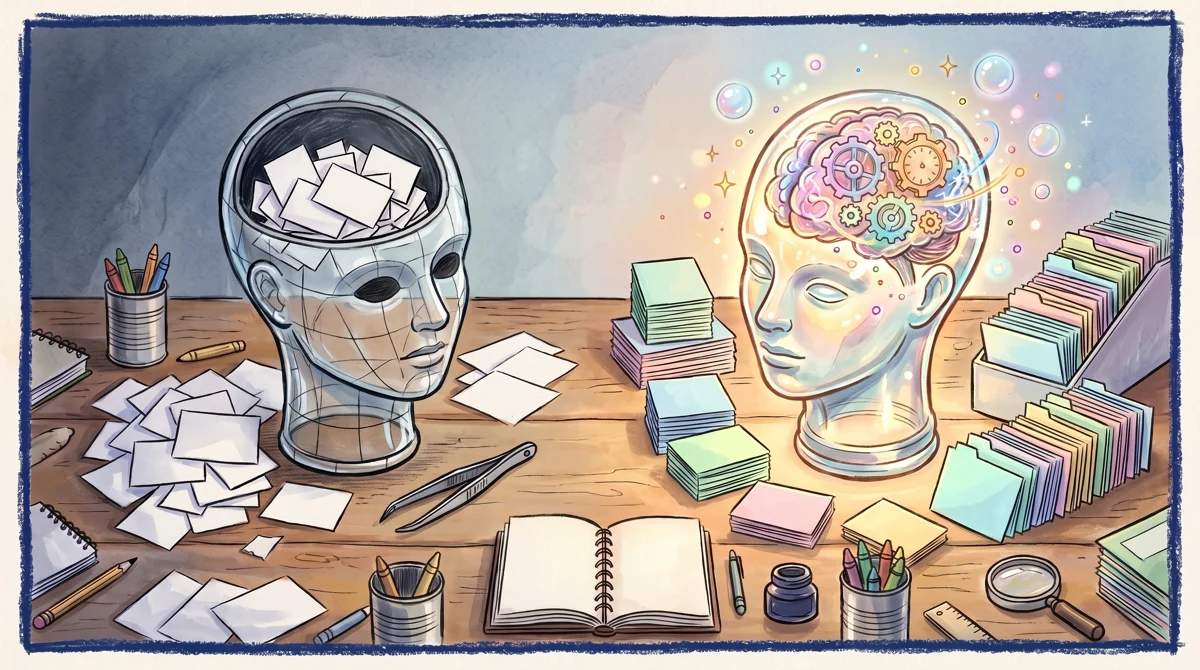
Illustration: The cheapest tier strips away the auto-tagging and semantic search, leaving behind an empty shell without an active mind.
The Bookmarker — US$4.99 a month. This is the cheap one, and it’s a bookmarker in the literal sense: basic card storage, no AI. Specifically, it does not include AI auto-tagging (software reading your saves and labeling them for you) and it does not include semantic search (searching by meaning, so “that blue chair” finds the chair even if you never typed “blue chair”). If you came to mymind for the “AI second brain,” this plan is not that. It’s storage with a monthly bill.
Student of Life — US$7.99 a month, or US$79 a year. This is the first plan that is actually mymind-as-advertised. It unlocks unlimited cards (the 100 ceiling is gone), AI image auto-tagging, OCR (optical character recognition — pulling the text out of an image so you can search what a screenshot says), Smart Spaces (collections the AI groups for you), and Serendipity (it resurfaces old cards you’d forgotten, on purpose). For most individuals, this is the real “paid” plan.
Mastermind — US$12.99 a month, or US$129 a year. The top tier adds a higher-end AI engine, a full web reader mode, permanent full-text backup of whole articles (so the content survives even if the original page dies), 500MB of video upload, AI summaries, automatic analysis of PDFs, and a “Same Vibe” mood board that surfaces visually similar saves.
Prices vary by country; we checked from Taiwan. The free tier is free — not a dollar figure, genuinely no charge to start.
The decision this lays out is cleaner than it first looks. The honest ladder is free → Student of Life → Mastermind. The Bookmarker at US$4.99 exists mostly to make the pricing page open with a low number. If you want AI, it’s the one plan to skip, because paying US$4.99 for mymind-without-AI is paying for the part you could get from a plain browser’s built-in bookmarks.
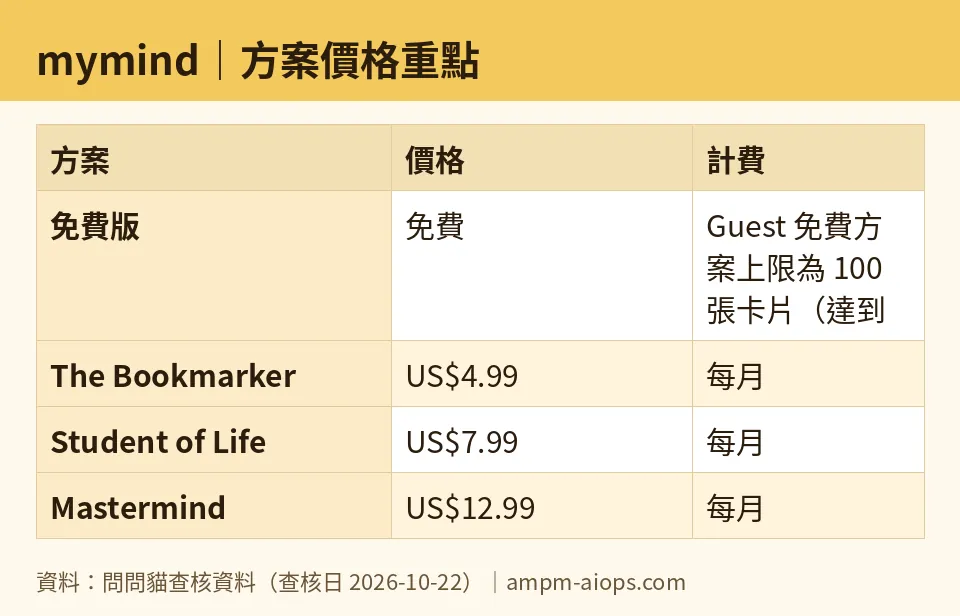
Figure: compiled by AMPM from its verified data (last verified 2026-10-22).
🔍 AMPM exclusive check
Two things the official pricing page states but does not flag for you, which we confirmed on 2026-10-22:
- The US$4.99 plan has no AI. The Bookmarker is listed as the entry option, but the page doesn’t put a warning next to it saying the auto-tagging and meaning-based search — the reasons people pick mymind over free browser bookmarks — are absent at this tier. We’re saying it plainly: at US$4.99 you are not buying the AI second brain.
- The 100-card free cap is a stop, with no rollback. When you hit 100, you must pay to keep saving; you don’t drop below the limit automatically. Plan your free trial run around that.
Full transparency, because that’s the point of this section: this was our first verification pass on mymind — a single round of checking the official site and pricing page on 2026-10-22, not yet our usual multi-round cross-check. Every price and the 100-card limit above match the vendor’s own pages as read that day. We could confirm the 100-card number for the free tier, but the data we verified does not give a feature-by-feature list of which AI functions run on the free Guest plan versus only on paid — so we’re not going to claim the free tier does or doesn’t auto-tag. If that distinction matters to your decision, test it inside your own free account before paying. Treat the free limit and any commercial-use terms as whatever the official site says at the moment you sign up.
Verdict: who should use it, who should skip it
Use mymind’s free tier if you want to test whether a save-now-find-later system fits how you think. 100 cards is enough to find out honestly, and it costs nothing.
Go straight to Student of Life (US$7.99/mo or US$79/yr) if you already know you want the AI tagging and meaning-based search and you’ll save more than 100 things. This is the plan that delivers what mymind advertises.
Consider Mastermind (US$12.99/mo or US$129/yr) if you’re a heavy researcher who needs permanent article backups, PDF analysis, AI summaries, and video uploads — people living inside long reading lists.
Skip The Bookmarker (US$4.99/mo) unless you specifically want dumb storage and nothing else. For the same product minus its headline feature, your browser’s free bookmark bar does most of the job. If you’re paying mymind at all, pay for the AI.
Written: 2026-10-22 Price last verified: 2026-10-22 Tool last health-checked: 2026-10-22
🔗 Related on AMPM
📎 Sources
All prices and quotas in this article come from AMPM’s verified dataset for mymind (last verified 2026-10-22); primary sources:
🐾 Meet the cats: AMO and PIMI

AMPM is a Taiwan-based AI-tool pricing watchdog. Our motto: ask before you subscribe. Two cats argue every tool from two sides:
- ☀️ AMO — the budget-minded cat. Always asks: is the free tier enough, and is paying actually worth it?
- 🌙 PIMI — the performance-minded cat. Cares about whether it works well, fast, and gets your job done.

When they are done arguing, you know whether to pay. Every number is checked by us, with the verification date at the end.
🐾 Our sister sites also checked
Read next
- mymind Full breakdown: pricing, features and real-world limits
- mymind Is the free quota enough?
- mymind Alternatives
- Free plan limits for every AI tool we track
