[How-to] Relume Free vs Paid: What You Really Get to Take Home
- Free tier: Yes
- Cheapest paid plan: US$26/mo and up
- Free quota: Free limit: 1 project, 1 page; only supports exporting to Figma, …
- Last checked: 2026-10-23
Article last updated: 2026-10-21



Relume sells itself as the fast lane from idea to built website. You type a description, it generates a sitemap (the page-by-page map of your site), then wireframes (rough grey-box layouts), then hands you components you can drop into a real design or codebase. The free plan is generous enough to make a single page look finished. The catch is what you’re allowed to carry out the door when you’re done.
That’s the whole decision here. Not “can I build something” — you can. It’s “can I take the result anywhere useful without paying.” So this guide walks a beginner through a first project, shows exactly where the free tier stops, and tells you which blocker is a dealbreaker and which is just annoying.
What the free tier actually lets you build
The free plan gives you 1 project and 1 page. One. That’s enough to prototype a landing page — a single standing-alone page, usually the first thing a new site or product needs.
You also get a component library of 30 blocks. A component is a pre-built chunk of a page: a hero section, a pricing table, a testimonial row. Thirty is a starter set, not the full catalog. You get a monthly AI quota — the budget of AI generations your account can spend — described as enough to assemble one small landing page per month. So the free tier isn’t a trial that dies in a week; it’s a thin ongoing allowance you can keep using at one-page scale.
Here’s the first-run path:
- Create your single project. Describe the site in plain language — “a landing page for a dog-walking service.” Relume generates a sitemap.
- Let it turn the sitemap into wireframes. You’ll see grey-box sections stacked in order.
- Swap and reorder sections from the 30-block library until the page reads the way you want.
- Export.
Steps 1 through 3 feel great. Step 4 is where the free plan shows its real shape.
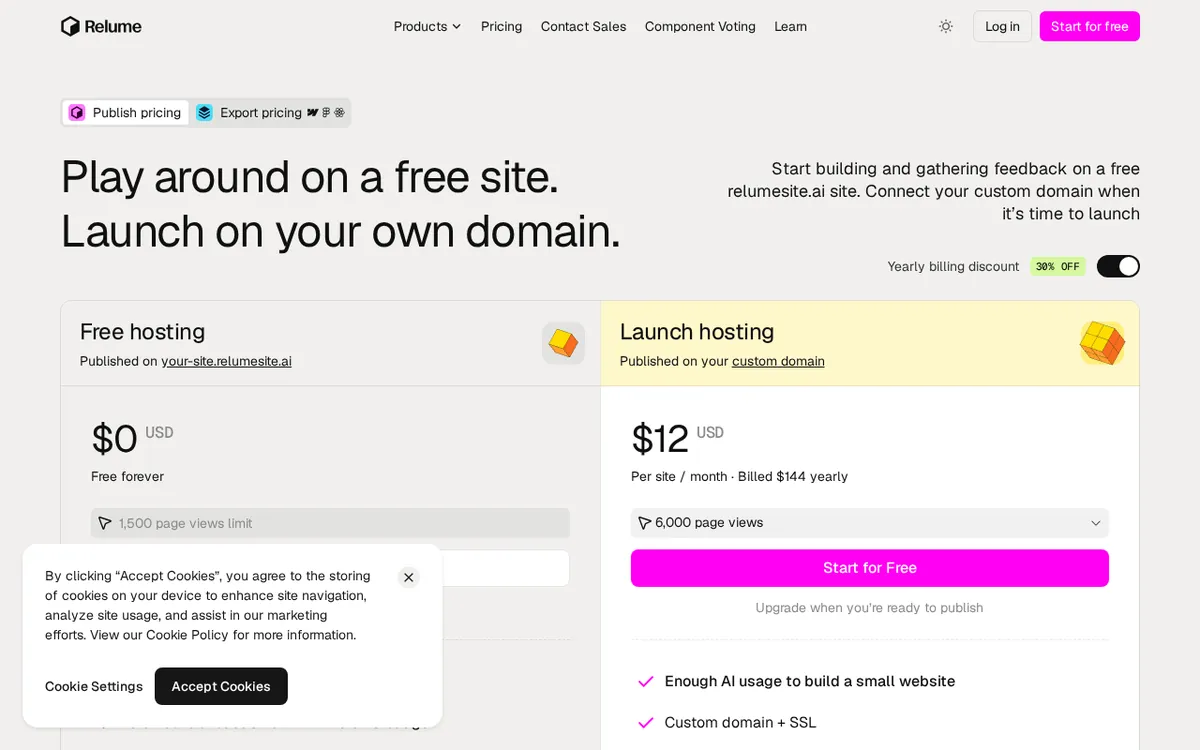
Figure: relume.ai official pricing page, captured 2026-10-21.
The export wall: Figma only
On the free plan, you can export to Figma and nothing else. Figma is a design tool — your output is a design file, a picture of the website with proper layers, not a working site and not code.

Illustration: The free plan lets you export only a flat blueprint, keeping live publishable sites and code firmly locked away.
That’s the honest summary of the free tier: you can design a one-page site, but what you walk away with is a Figma file. To get the two exports that turn a design into a live site — Webflow (a visual website builder that publishes real pages) and React (front-end code developers build apps with) — you have to pay. The paid plans unlock export to Figma, Webflow, and React together.
So the free plan is a design-stage tool. If your plan was “generate the layout in Relume, push it to Webflow, publish by lunch,” the free tier can’t do the push. You’ll be rebuilding in Webflow by hand, or handing the Figma file to someone who codes it. That’s not nothing — a clean Figma file is a real head start — but it’s not a website.
Common blockers on the free tier, and what to do:
- “I need a second page.” You can’t, on free. The limit is 1 page. Fix: scope your free project to one page on purpose, or move up.
- “Export to Webflow is greyed out.” Working as designed — free is Figma-only. No workaround; it’s a paid feature.
- “I ran out of AI generations this month.” The quota is sized to one small landing page per month. It resets monthly. If you burned it experimenting, wait for the reset or upgrade.
- “I want more than 30 blocks.” The full 1,000+ library comes with paid plans.
What each paid plan unlocks
Three paid plans, all priced per seat — one paid login for one person.
Starter is US$26/person/month billed monthly. Pay yearly and it works out to about US$18/person/month, billed as US$216 for the year. Starter keeps you at 1 project but lifts pages to 5, opens export to Figma, Webflow, and React, gives you the full 1,000+ component library, and adds Relume Library MCP — a connector that lets AI coding assistants pull Relume components directly. This is the first tier that produces a buildable multi-page site.
Pro is US$57/person/month billed monthly, or about US$40/person/month on annual billing, charged as US$480 for the year. Pro drops the project and page limits entirely, adds an advanced AI model, comment-based collaboration, and design-system export to Claude. If you build sites regularly and five pages isn’t enough, this is the jump.
Team is US$51/person/month billed monthly, or about US$36/person/month averaged on annual billing — but you must buy at least 3 seats, so annual Team starts at US$1,296. Team includes everything in Pro plus a shared workspace. Note the shape: Team’s per-seat price sits below Pro’s, which only makes sense once you read the 3-seat floor. It’s the plan for a studio, not a solo freelancer.
One thing worth saying plainly about the annual numbers: the data gives yearly totals for Starter (US$216), Pro (US$480), and Team (US$1,296, for 3 seats). It does not give a published yearly total for the monthly-only way of paying, so I’m not going to multiply anything out for you — if you pay month to month, you pay the monthly rate each month, and that’s all the data supports.
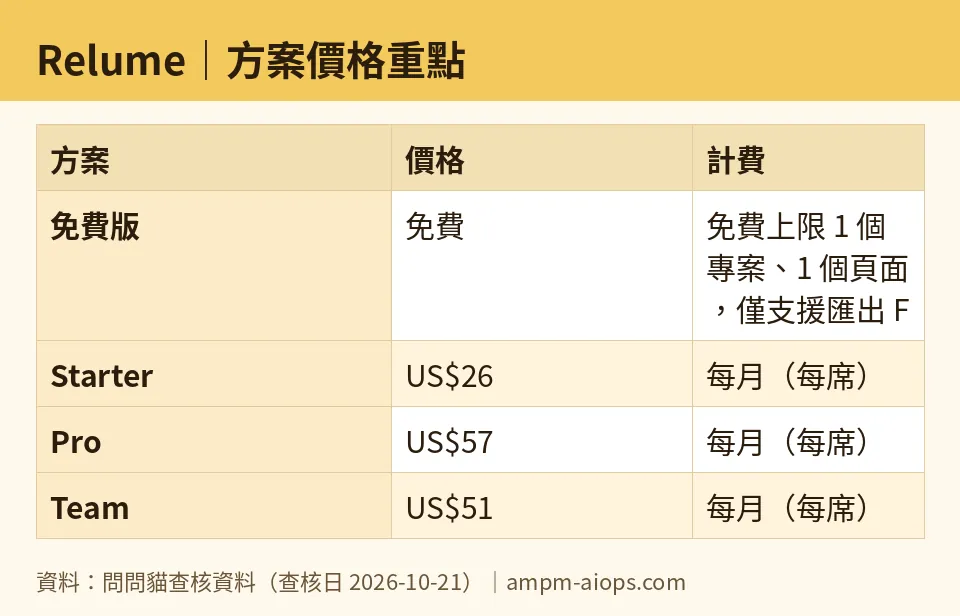
Figure: compiled by AMPM from its verified data (last verified 2026-10-21).
🔍 AMPM exclusive check
Two things the pricing page doesn’t put in one sentence, and we will.
First, the free tier’s real limit isn’t the page count — it’s the export format. The 1-page and 30-block limits are easy to read. The quieter one is that free export is Figma-only, which means the free plan cannot produce a live site or usable code by itself. You leave with a design file. We’re flagging that as the actual free-vs-paid line, because it’s the step where beginners get stuck after everything else felt free.
Second, the Team plan’s math only makes sense with the 3-seat minimum attached. Seeing US$51/person/month next to Pro’s US$57 looks like Team is cheaper per person. It is — but you can’t buy fewer than 3 seats, so the real entry cost is the US$1,296 annual floor. A solo user comparing headline per-seat prices could pick the “cheaper” plan and be forced into paying for three logins.
Now the honest caveat on our side: this tool came into our tracker as an auto-added challenger, and these numbers have had one verification pass, not our usual three-way manual cross-check. Every figure above matches what the official site and pricing page showed on 2026-10-21. Free quotas and commercial-use terms change quietly, so confirm against relume.ai/pricing before you commit money.
Verdict: who should use it, who should skip it
Use the free tier if you’re a designer, founder, or student who wants an AI head start on a single landing page and you live in Figma anyway. The Figma-only export is a feature, not a wall, for you. You build fast, refine in Figma, and never pay.
Use Starter (US$26/month, or about US$18/month on annual) if you need the output to become a real website — Webflow or React export — and a 5-page site covers your project. For most freelancers building a small client site, this is the plan that actually ships.
Use Pro (US$57/month, or about US$40/month on annual) if you build sites often, hit the 5-page ceiling, or want the advanced AI model and export to Claude.
Use Team only if you’re three or more people who will genuinely share a workspace — the 3-seat minimum and US$1,296 annual floor make it wrong for solo buyers, even though the per-seat sticker looks tempting.
Skip Relume entirely if your end goal is a live site today and you don’t touch Figma, Webflow, or React. The free plan won’t deliver a running page, and if you weren’t going to pay for an export path, the Figma file is a dead end for you.
Written: 2026-10-21 Price last verified: 2026-10-21 Tool last health-checked: 2026-10-21
🔗 Related on AMPM
📎 Sources
All prices and quotas in this article come from AMPM’s verified dataset for Relume (last verified 2026-10-21); primary sources:
🐾 Meet the cats: AMO and PIMI

AMPM is a Taiwan-based AI-tool pricing watchdog. Our motto: ask before you subscribe. Two cats argue every tool from two sides:
- ☀️ AMO — the budget-minded cat. Always asks: is the free tier enough, and is paying actually worth it?
- 🌙 PIMI — the performance-minded cat. Cares about whether it works well, fast, and gets your job done.

When they are done arguing, you know whether to pay. Every number is checked by us, with the verification date at the end.
🐾 Our sister sites also checked
Read next
- Relume Full breakdown: pricing, features and real-world limits
- Relume Alternatives
- Free plan limits for every AI tool we track
