[How-to] Slazzer free vs paid: Can You Sell What the Free Plan Makes?
- Free tier: Yes
- Cheapest paid plan: US$11/mo and up
- Free quota: 2 free credits on sign-up (download 2 HD background-removed images); …
- Last checked: 2026-10-22
Article last updated: 2026-10-23



Slazzer is an automatic background remover — you upload a photo, its AI knocks out the background, and you get a clean cutout for product shots, profile pictures, or design work. The free tier is a real trial, not a locked demo. But before a beginner pours an afternoon into it, there’s one line buried in the pricing that decides whether you should even start here: the part about who is legally allowed to use the images in a business. This guide gets you to your first clean cutout in minutes, then shows you exactly where the wall is.
A quick note on currency: prices vary by country, and we checked from Taiwan. Every figure below is the US$ price Slazzer shows, used exactly as published.
What the free tier actually gets you
Sign up and Slazzer hands you 2 free credits. A credit is the token you spend to download one finished image in HD — “HD” meaning full, high resolution, the kind you’d actually put on a store page. So those 2 credits equal 2 real downloads you own, not watermarked teasers.
There’s a second free lever that most people miss. On slazzer.com you can preview your cutouts in low resolution for free, with no cap on how many. Low resolution here means the preview is held under 0.25 megapixels — a megapixel is one million pixels, so 0.25 MP is a small image, fine for checking the edges but too small to publish.
Put those together and the free tier is more generous than it looks. You can run dozens of photos through Slazzer, eyeball every result at preview size, and only spend one of your 2 precious credits when a cutout is genuinely good. Treat the preview as your quality test and the 2 credits as your final downloads.
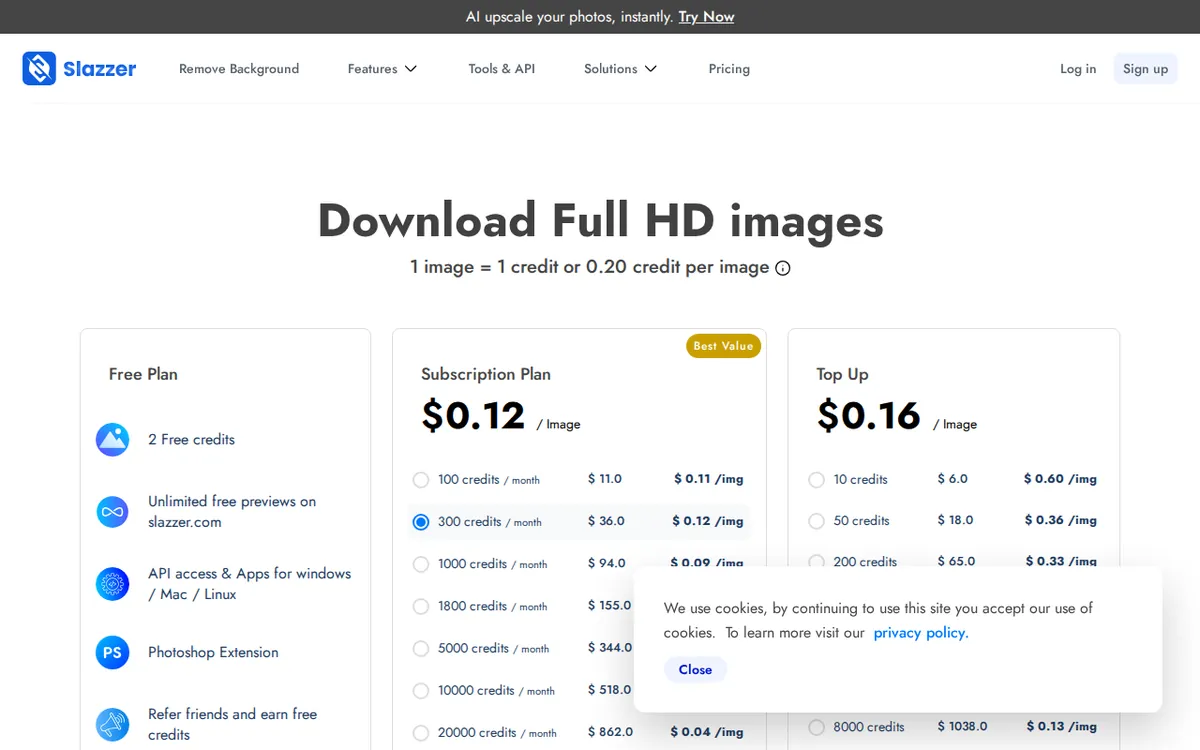
Figure: slazzer.com official pricing page, captured 2026-10-23.
Remove your first background, step by step
- Go to slazzer.com. You don’t need to pay or even finish setup to see how the AI handles your photo.
- Upload an image — drag it onto the page or click to browse. Product shots on a busy background and portraits are what the tool is tuned for.
- Wait a beat. The AI separates the subject from the background and shows you the result on a transparent (checkerboard) backdrop.
- Check the preview carefully at this free, low-res stage. Look at hair, thin straps, and edges around glass or metal — that’s where auto removers slip.
- Only now spend a credit. When the cutout looks right, download the HD version. That download is what consumes one credit.
If you’re removing backgrounds for an online store, do all your trial-and-error at the preview stage first. Burning a credit on a photo you haven’t inspected is the single most common way beginners waste the free tier.
The pricing ladder — and the gate that matters
Slazzer sells in monthly credit packs. Here’s the full ladder as published, with the per-image cost Slazzer quotes for each:
- 100 Credits / month — US$11/month. About US$0.11 per HD image. Unused credits roll over while you stay subscribed, up to 6× your monthly amount — so this pack can bank a maximum of 600 credits.
- 300 Credits / month — US$36/month. About US$0.12 per image. This is the tier where the formal commercial-use license attaches.
- 1000 Credits / month — US$94/month. About US$0.09 per image.
- 1800 Credits / month — US$155/month. About US$0.09 per image.
- 5000 Credits / month — US$344/month. About US$0.07 per image.
Now the catch, and it’s the whole reason to read the pricing before you commit. The commercial-use license — the legal right to use your cutouts in a business, like selling products with those images — is spelled out at the US$36 (300-credit) tier, or by buying add-on credits. The free credits and the cheapest US$11 tier don’t carry that language.
Here’s what makes it sharp: the US$36 tier is not a volume discount. Look at the per-image numbers Slazzer itself quotes. At US$11 you’re paying about US$0.11 an image; at US$36 you’re paying about US$0.12 — slightly more per image, not less. The real per-image savings don’t appear until the US$94 tier drops you to about US$0.09. So the jump from US$11 to US$36 doesn’t buy you cheaper images. It buys you the right to use them commercially. If you only need cutouts for personal projects, a portfolio, or internal slides, that gate may not apply to you at all. If you’re an e-commerce seller, it’s the line that decides your plan.
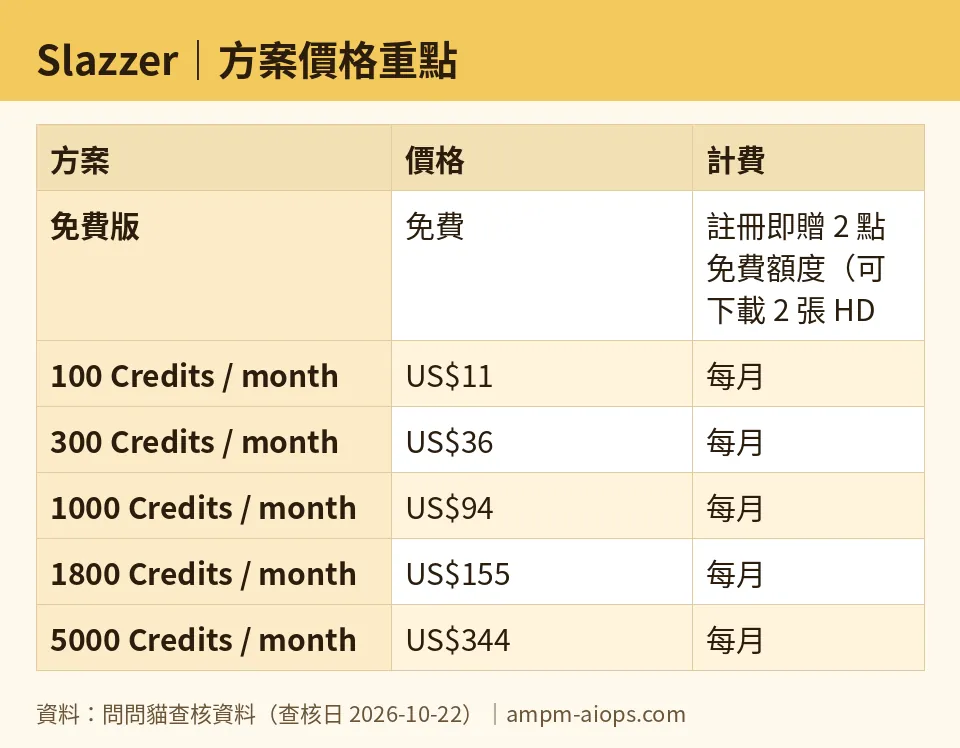
Figure: compiled by AMPM from its verified data (last verified 2026-10-22).
Common blockers and how to get past them
“I used both free credits and now I’m stuck.” You don’t have to be. The low-res preview on the website is free and unlimited, so you can keep testing Slazzer’s quality on as many photos as you like — you just can’t download them in HD without a credit. Use the free preview to decide whether the tool is even worth paying for before you spend a cent.
“My downloaded image came out small.” The free previews are capped at that 0.25 MP size on purpose. The full-resolution file is the HD download, and that’s what costs a credit. If you need print-quality or large store images, you’re always in credit territory.
“Can I use these on my Shopify or Etsy store?” This is the one to settle before you subscribe. The commercial license is attached at the US$36 tier (or via add-on credits) in the data we verified. The free tier and the US$11 plan don’t advertise it. If your use is clearly commercial, don’t assume the cheapest paid plan covers you — confirm the license text on the pricing page for your exact situation first.
“My rolled-over credits disappeared.” On the 100-credit plan, unused credits carry over only while your subscription is active, up to that 600-credit ceiling. Cancel, and the bank empties. If you’re stockpiling credits for a seasonal rush, keep the subscription running through it rather than pausing.
🔍 AMPM exclusive check
Two things the vendor’s pricing page does not put front and center, which we confirmed by reading it on 2026-10-22:
First, the US$36 tier is framed as “more credits,” but the thing it actually unlocks is the commercial-use license. The page leads with credit counts, so it’s easy to assume you’re climbing a volume-discount ladder. You’re not — not at that step. By Slazzer’s own per-image figures the cost edges up from about US$0.11 to US$0.12 between the US$11 and US$36 tiers. The discount is real only from US$94 onward. If you came for cheaper images, the US$36 tier is the wrong reason to upgrade; if you came for the license, it’s the right one.
Second, Slazzer does not publish a plain per-credit breakdown, so we won’t invent one — the per-image figures above are the approximations Slazzer attaches to each tier, nothing summed or annualized by us.
One honesty flag: Slazzer entered our tracker as a challenger candidate, and this is a first-round check rather than our usual triple cross-verification. The free allowance and the commercial-license terms are exactly as the official site showed on our check date, but treat the license wording as the kind of thing a vendor can revise quietly — read it yourself at checkout.
Verdict: who should use it, who should skip it
Start on the free tier if you’re a beginner, a hobbyist, or anyone testing whether auto background removal is good enough for your photos. The unlimited free previews plus 2 HD downloads are enough to answer that without paying.
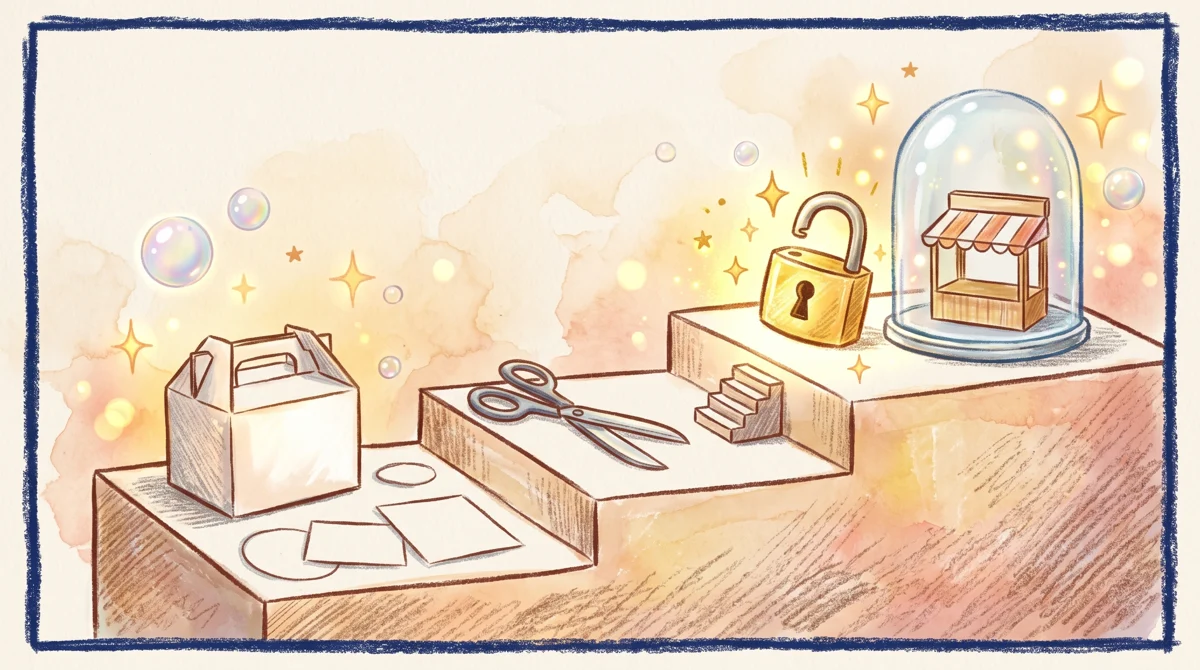
Illustration: Cutout product images on the entry tier remain locked, requiring the higher tier to secure the commercial key for storefront sales.
Go straight to the US$36 (300-credit) tier if you’re selling anything with these images — the commercial license is the point, not the credit count. Jump to US$94 or higher only when your volume is high enough that the lower per-image cost outweighs the bigger monthly bill.
Skip Slazzer’s paid plans if you need fewer than a handful of commercial images a month and the license question makes a monthly subscription feel heavy — a pure hobby user may never need to leave the free tier, and should test there first regardless.
Written: 2026-10-23 Price last verified: 2026-10-22 Tool last health-checked: 2026-10-23
🔗 Related on AMPM
📎 Sources
All prices and quotas in this article come from AMPM’s verified dataset for Slazzer (last verified 2026-10-22); primary sources:
🐾 Meet the cats: AMO and PIMI

AMPM is a Taiwan-based AI-tool pricing watchdog. Our motto: ask before you subscribe. Two cats argue every tool from two sides:
- ☀️ AMO — the budget-minded cat. Always asks: is the free tier enough, and is paying actually worth it?
- 🌙 PIMI — the performance-minded cat. Cares about whether it works well, fast, and gets your job done.

When they are done arguing, you know whether to pay. Every number is checked by us, with the verification date at the end.
🐾 Our sister sites also checked
Read next
- Slazzer Full breakdown: pricing, features and real-world limits
- Slazzer Is the free quota enough?
- Slazzer Alternatives
- Free plan limits for every AI tool we track
