[How-to] Squibler Free vs Paid: Where the Free Plan Stops and You Have to Upgrade
- Free tier: Yes
- Cheapest paid plan: US$29/mo and up
- Free quota: The free plan provides 1,000 AI credits per month, allowing you to try …
- Last checked: 2026-10-24
Article last updated: 2026-10-24



Squibler sells itself as a writing tool for novelists and screenwriters — an AI assistant that drafts outlines, generates chapters, and keeps a long manuscript organized. The free plan is real, not a seven-day teaser. But it ends at a very specific point, and most beginners hit that point on the same day they produce something they actually want to keep. This guide walks you through what the free plan does, the three things that will stall you, and exactly which paid tier fixes each one.
A quick note before the numbers: prices vary by country, and we checked from Taiwan. The US$ figures below are the ones Squibler lists in dollars, so they travel.
Start here: what the free plan actually gives you
The free plan gives you 1,000 AI credits per month. A credit is the unit you spend every time the AI writes something for you — ask it to draft an outline or generate a chapter, and credits come off the meter. When the monthly 1,000 are gone, the AI generation stops until the next month resets or you upgrade.
What you can do with them: try the basic outline and chapter generation. That is the core loop Squibler is built around. You type a premise, the tool proposes a structure, and you let it draft sections from that structure. For someone deciding whether an AI writing tool fits the way they think, 1,000 credits is enough to run that loop a few times and judge the output honestly.
Here is the practical first session for a beginner:
- Open a new project and give it a one-line premise.
- Generate an outline first, before any prose. The outline is cheap relative to the value it gives you, and it tells you fast whether the tool understands your idea.
- Generate one or two chapters from that outline, not ten. You are testing fit, not finishing a book.
- Read the output as an editor would. Does it match your voice, or will you rewrite every line?
That single session answers the only question the free plan exists to answer: is this worth paying for? Do not treat the free credits as a monthly writing budget. Treat them as a trial you happen to get every month.
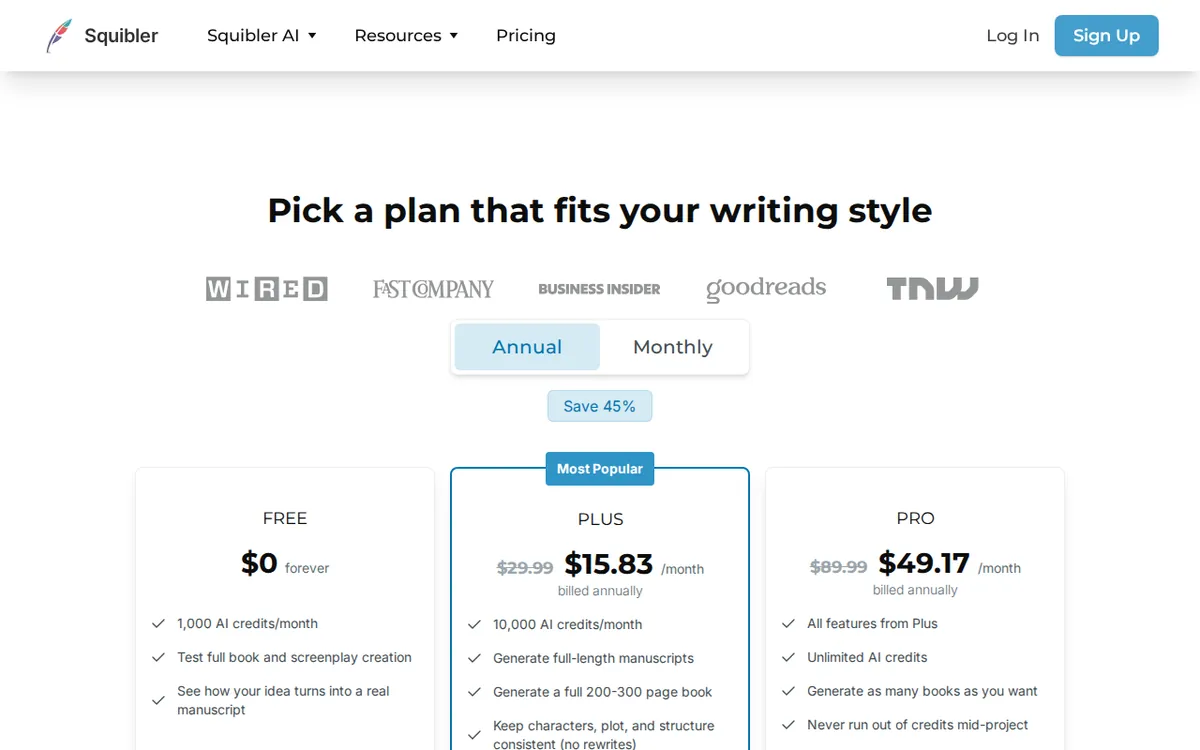
Figure: squibler.io official pricing page, captured 2026-10-24.
The three things that will stop a beginner (and the fixes)
1. You can’t export a clean PDF or DOCX. This is the wall almost everyone hits first. PDF and DOCX are the standard file formats you’d hand to a beta reader, an editor, or a self-publishing platform — PDF for a fixed-layout read, DOCX for an editable Word document. On Squibler, export to PDF and DOCX is listed as a Plus feature. On free, you can write inside the tool, but getting a finished file out the clean way is not part of the plan. The fix: if your goal was only ever to evaluate the AI, this does not matter — you are reading drafts on screen. If your goal is to walk away with a manuscript file, you will need Plus, and you should know that going in rather than discovering it after you’ve written 20,000 words.
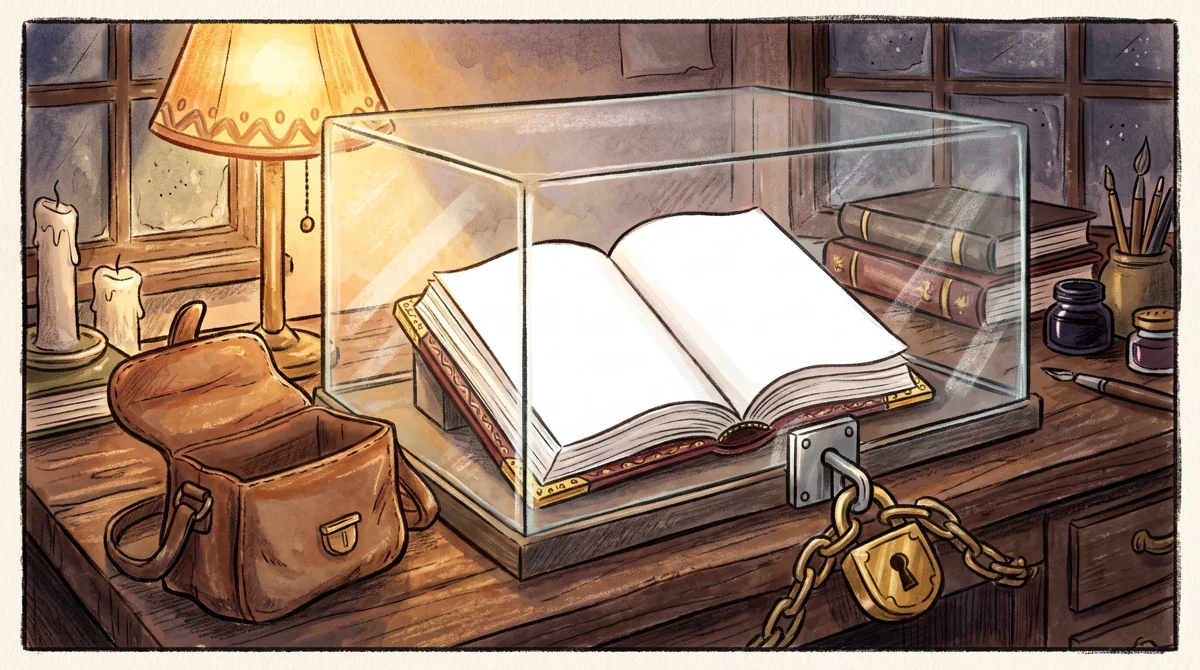
Illustration: Although the manuscript is finished inside, it remains locked under glass and cannot be packed into the satchel.
2. The credits run out faster than you expect. Long-form chapter generation is the most credit-hungry thing the tool does, and 1,000 is not a large monthly allowance if you lean on the AI to write prose for you. The fix is to spend credits where they’re worth most. Structure and outlining give you the highest return per credit — that’s the part that’s genuinely hard to do alone at 2 a.m. Write the prose yourself where you can, and reserve generation for the chapters where you’re truly stuck. Writers who burn through 1,000 credits in a day usually did it by asking the AI to draft everything; writers who make the free plan last used it as a structural assistant.
3. Keeping characters consistent is manual on free. Squibler offers character consistency management — a feature that helps the tool remember who your characters are across a long manuscript so chapter 12 doesn’t contradict chapter 3 — but that sits in the Plus tier. On free, that bookkeeping is on you. For a short test project this is a non-issue. For anything long, it’s a real cost in attention, and it’s one of the clearest signals that you’ve outgrown the free plan.
When the free credits run out: Plus vs Pro
Two paid tiers sit above free.
Plus is US$29 per month at the standard monthly rate on the official site. If you pay annually, Squibler lists the cost as working out to US$16 per month. Plus raises you to 10,000 AI credits per month and adds the three things the free plan withholds: long-form chapter generation, character consistency management, and export to PDF and DOCX. For a solo novelist or screenwriter who has decided the tool works for them, this is the tier that turns it from a toy into something you finish a book in.
Pro is US$89 per month at the official monthly rate — the web page commonly shows US$89.99 — and Squibler lists the annual plan as working out to US$49 per month. Pro unlocks unlimited AI credits and removes the cap on how many books and scripts you can generate. This is a tier for high-volume output: someone running multiple projects at once, or a writer who leans on generation heavily enough that even 10,000 credits a month would run dry.
For most people reading this, the honest ladder is simple. Free tells you whether the tool fits. Plus is where you do real work. Pro is for volume you probably don’t have yet. Don’t jump to Pro on the assumption that unlimited credits are the safe default — 10,000 credits a month is a lot of generation, and you should only pay for unlimited once you’ve proven you actually exhaust 10,000.
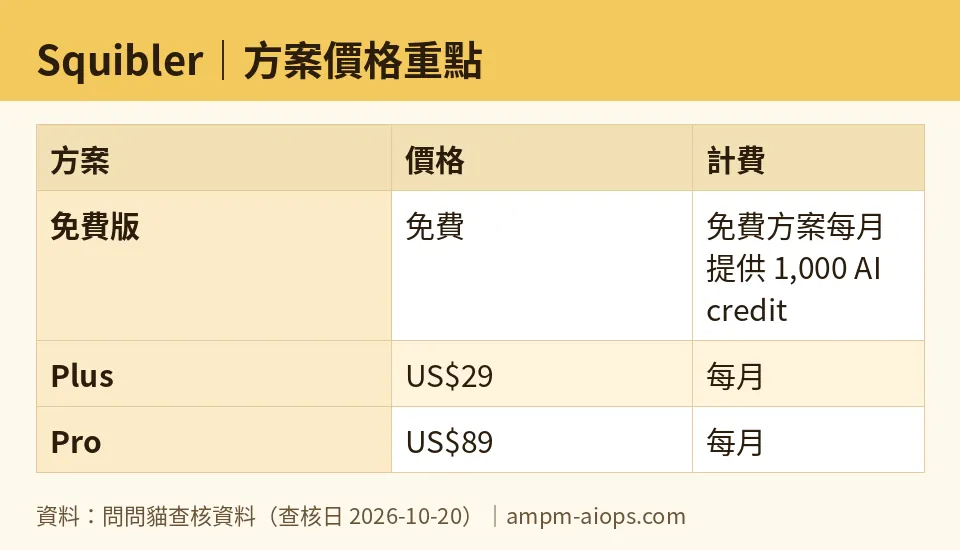
Figure: compiled by AMPM from its verified data (last verified 2026-10-20).
🔍 AMPM exclusive check
Two things the pricing page does not spell out as plainly as we will.
First, the Pro price is not as fixed as a single number suggests. The official monthly list price reads as US$89, but the web page is commonly seen showing US$89.99, and the annual plan is presented as working out to US$49 per month. None of those are errors — they’re the same plan quoted three ways (monthly list, the price you often see on the page, and the annual-equivalent). Just know that the number you see depends on where you look and which billing cycle you pick, so confirm the exact figure at checkout before you commit.
Second, a transparency note we hold ourselves to: Squibler entered our tracker as an automatically-surfaced challenger, and this data has been through one verification round, not our full three-way manual cross-check. The free quota and the commercial terms should be confirmed against the official page at the moment you sign up. We verified the free plan’s 1,000 monthly credits and the plan structure on 2026-10-24 against the official site and pricing page; the dollar figures match what Squibler lists. We’re flagging the single-round status so you don’t treat our numbers as more settled than they are — the vendor page is the final word.
Verdict: who should use it, who should skip it
Use the free plan if you want to test whether AI-assisted structure and drafting fit your process before spending anything. It’s enough to run the core loop and judge the output, which is exactly what a trial should do.
Move to Plus if you’ve decided the tool works and you need to actually finish and export a manuscript. Export to PDF and DOCX, character consistency, and long-form generation all live here, and 10,000 credits a month is a working allowance rather than a sampler.
Consider Pro only if you’re running multiple books or scripts at once and have already proven you’d exhaust Plus’s credits. For a single project, it’s more than you need.
Skip Squibler entirely if your writing is short-form, you don’t want AI drafting your prose, or you’d never leave the tool without a downloadable file — because that download isn’t in the free tier, and you’d be paying from day one just to get your own words out.
Written: 2026-10-24 Price last verified: 2026-10-20 Tool last health-checked: 2026-10-24
🔗 Related on AMPM
📎 Sources
All prices and quotas in this article come from AMPM’s verified dataset for Squibler (last verified 2026-10-20); primary sources:
🐾 Meet the cats: AMO and PIMI

AMPM is a Taiwan-based AI-tool pricing watchdog. Our motto: ask before you subscribe. Two cats argue every tool from two sides:
- ☀️ AMO — the budget-minded cat. Always asks: is the free tier enough, and is paying actually worth it?
- 🌙 PIMI — the performance-minded cat. Cares about whether it works well, fast, and gets your job done.

When they are done arguing, you know whether to pay. Every number is checked by us, with the verification date at the end.
🐾 Our sister sites also checked
Read next
- Squibler Full breakdown: pricing, features and real-world limits
- Squibler Is the free quota enough?
- Squibler Alternatives
- Free plan limits for every AI tool we track
