[How-to] Tilda Publishing free vs paid: Which Limit Stops You First
- Free tier: Yes
- Cheapest paid plan: US$15/mo and up
- Free quota: Free plan: 1 website, up to 50 pages, 50 MB storage, only the tilda.ws …
- Last checked: 2026-11-02
Article last updated: 2026-10-30



Tilda Publishing sells its free plan on a big, friendly number: 50 pages. For a beginner building a first site, 50 pages sounds like more room than you’ll ever use. It is. The number that will actually stop you is the one printed much smaller: 50MB of storage. That’s the ceiling you hit, not the page count — and this guide is about getting real work done inside it before you decide whether paying is worth it.
Tilda is a block-based website builder: you stack pre-made sections (a hero image, a pricing table, a contact form) like LEGO bricks, and it also has a free-form editor called Zero Block for dragging elements anywhere. There’s AI content generation baked in too. You can get a decent landing page live without touching code. The question is where the free tier runs out.
What the free plan actually lets you build
The Free plan gives you one website, up to 50 pages, and 50MB of storage. You publish on a tilda.ws subdomain — so your address looks like yoursite.tilda.ws, not yourbrand.com. You get the basic block library, which is enough to assemble a landing page, an “about” section, and a simple multi-page site.
Here’s the honest starting workflow for a beginner:
- Sign up and create your one site. You get exactly one on Free, so treat it as your main project, not a sandbox.
- Build from blocks first. Pick a template or start blank, then add blocks section by section. Don’t open Zero Block on day one — the stacked blocks are faster and harder to break.
- Compress every image before you upload it. This is the single most important habit on the free tier, and we’ll explain why in a second.
- Publish to your tilda.ws address and share the link. That’s a live site, for free, no card required.
A landing page, a small portfolio, an event page, a link-in-bio hub — all of that fits inside the free plan comfortably on page count.
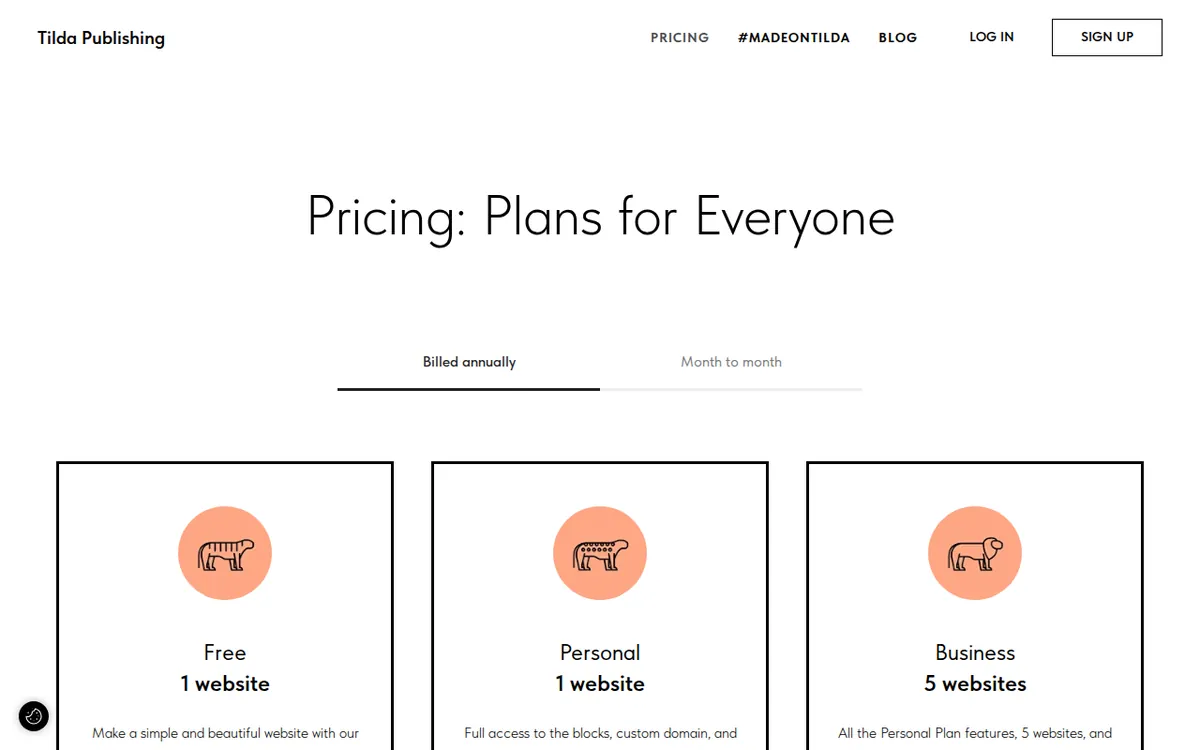
Figure: tilda.cc official pricing page, captured 2026-10-30.
The real wall is 50MB, not 50 pages
Fifty pages is a generous allowance. Most beginners never build fifty pages. But 50MB of storage is small, and storage is where images, uploaded files, and media live. A handful of large, uncompressed photos — the kind a phone camera produces at several megabytes each — can eat that 50MB before you’ve finished one image-heavy page.
So the page limit is the headline, and the storage limit is the trap. You could have 45 empty pages left and still be unable to upload your next photo.
Fixes that keep you on free longer:
- Resize and compress images to web size before uploading. A full-width hero image rarely needs to be more than a couple hundred kilobytes. Run photos through a free compressor first.
- Host heavy media elsewhere and embed it. Put videos on YouTube or Vimeo and embed the player instead of uploading the file. The video doesn’t count against your 50MB that way.
- Delete unused uploads. Old drafts and replaced images can linger in your storage. Clear them out.
If your project is text and light graphics, 50MB stretches a long way. If it’s a photographer’s gallery or a product catalog with dozens of shots, you’ll hit the wall fast.
The other three things free can’t do
Beyond storage, the free plan blocks three capabilities that matter the moment a site becomes a business tool:
- No custom domain. You’re stuck on the tilda.ws subdomain. Fine for a test or a personal page, awkward for a brand.
- No form data integration. You can’t pipe contact-form submissions into your email tools or a spreadsheet automatically. A plain form may display, but wiring its results into another service is a paid feature.
- No online payments. You can’t take money through the site.
These aren’t bugs to work around. They’re the line between “hobby page” and “working site,” and crossing it means paying.
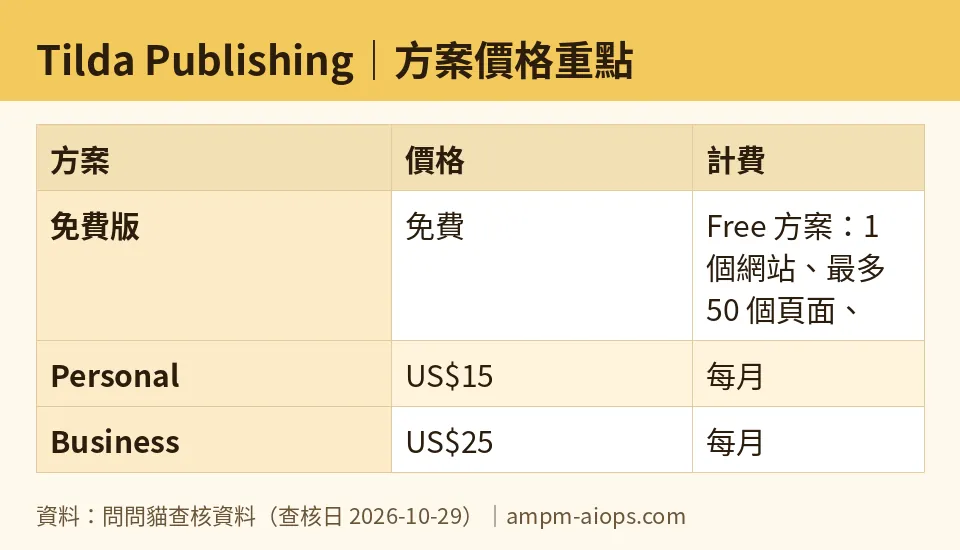
Figure: compiled by AMPM from its verified data (last verified 2026-10-29).
🔍 AMPM exclusive check
We verified Tilda’s numbers against the official pricing page on 2026-10-29. Every figure here — 50 pages, 50MB, one site on Free; US$15/month for Personal, US$25/month for Business — matches what the vendor publishes. Nothing in the pricing itself differed from the official page this time.
What the vendor page does not spell out plainly is the ranking of its own limits. Tilda leads with “50 pages” in its free-tier framing. Our read is that the 50MB storage cap is the constraint a real beginner hits first, long before page count, especially on an image-driven site. The vendor states both numbers; it does not tell you which one ends your free run. That’s the gap we’re flagging.
One caution we won’t hide: Tilda entered our tracking as an auto-promoted challenger, and this data has been through one verification pass with daily automated re-checks since 2026-10-24, not our full three-way manual cross-check. The free quota and commercial terms are the ones we read on the official page — confirm them live before you commit, because builder plans change quietly.
☀️ AMO, the budget-minded cat

Is free enough? For a lot of people, yes — and that’s not a consolation prize. One website, 50 pages, a live tilda.ws address, costing nothing: that covers a personal page, a portfolio, an event announcement, a simple link hub. If you compress your images and embed your videos, 50MB holds a surprising amount of a text-and-graphics site. I’d run free as long as the project doesn’t need its own domain or a working form pipeline.
When paying is worth it: the jump to Personal is US$15/month billed monthly, or US$10/month if you pay yearly, which the data lists as US$120 for the year. That buys the custom domain, 1GB of storage (twenty times the free 50MB), 500 pages, the full block library, and form integration. The storage jump alone is the real reason to upgrade for an image-heavy site — not the extra pages.
Business at US$25/month monthly, or US$20/month annually (US$240 for the year per the data), only makes budget sense if you genuinely need up to 5 websites or the code export and API features. For one site, that’s money you don’t need to spend. My rule: don’t pay for Business to get Personal’s job done. And don’t pay at all until free actually blocks you — which, for most beginners, will be the day an image upload fails, not the day you run out of pages.
🌙 PIMI, the performance-minded cat

Does it actually work? The block system is the strength. For someone who can’t code, stacking pre-built sections produces a clean, responsive page quickly, and Zero Block gives you precise control once you’re ready for it. The AI content generation helps fill first drafts so you’re not staring at empty blocks. As a tool for getting a good-looking site live fast, it does the job.
But performance on the free tier is throttled by that 50MB more than by anything in the editor. A fast, polished site needs quality images, and quality images need room. Fight 50MB with heavy compression and you trade visual sharpness for staying free. Embed external video and you’re leaning on YouTube’s player, not Tilda’s. Those are fine compromises for a test site; they’re limiting for anything meant to impress.
The functional ceiling on free is the missing form integration. A site that looks great but can’t route a contact submission anywhere isn’t finished work — it’s a demo. Personal’s 1GB and working forms are where Tilda starts performing as a real site builder rather than a showcase. For code export and API integration — the features that let a developer take the output elsewhere or connect it to other systems — you need Business. If performance to you means “ship a serious, connected site,” free is the trial, not the destination.
Verdict: who should use it, who should skip it
Use the free plan if you’re a beginner, a student, or anyone making a personal or test site that lives on text and light graphics. Build from blocks, compress ruthlessly, embed heavy media, and you can stay free indefinitely on a one-site, 50-page project. The 50 pages won’t stop you; watch the 50MB.
Move to Personal (US$15/month, or US$10/month annual per the data) when you need your own domain, working contact forms, or more storage room — that’s the real upgrade trigger for most people, and the 1GB versus 50MB gap is the headline reason.
Skip Business (US$25/month, or US$20/month annual) unless you’re running multiple sites or specifically need code export and API integration. For a single site, it’s paying for scale you won’t use. Prices vary by country; we checked from Taiwan.
Written: 2026-10-30 Price last verified: 2026-10-29 Tool last health-checked: 2026-10-30
🔗 Related on AMPM
📎 Sources
All prices and quotas in this article come from AMPM’s verified dataset for Tilda Publishing (last verified 2026-10-29); primary sources:
🐾 Meet the cats: AMO and PIMI

AMPM is a Taiwan-based AI-tool pricing watchdog. Our motto: ask before you subscribe. Two cats argue every tool from two sides:
- ☀️ AMO — the budget-minded cat. Always asks: is the free tier enough, and is paying actually worth it?
- 🌙 PIMI — the performance-minded cat. Cares about whether it works well, fast, and gets your job done.
When they are done arguing, you know whether to pay. Every number is checked by us, with the verification date at the end.
🐾 Our sister sites also checked
Read next
- Tilda Publishing Full breakdown: pricing, features and real-world limits
- Tilda Publishing Is the free quota enough?
- Tilda Publishing Alternatives
- Free plan limits for every AI tool we track
