[Pitfalls] Velo Pricing and Free Tier Limits: What the Monthly Quota Really Costs You
- Free tier: Yes
- Cheapest paid plan: US$49/mo and up
- Free quota: 15 Velo minutes per month, with 1 seat, 1 voice clone and 1 avatar …
- Last checked: 2026-10-24
Article last updated: 2026-10-13



Velo turns screen recordings, documents, and URLs into short business videos narrated by an AI avatar — a virtual presenter that reads your script on camera. The free plan looks like a reasonable way to test that before paying anything. But once you look past the headline number, the free tier limits get tight fast: 15 minutes of video a month, one seat (one user login), one voice clone, and one avatar video, total. This piece checks what Velo’s pricing page says, what it leaves out, and where the free tier limits actually hurt once you start using the tool for real work.
The 15-Minute Trap
Velo doesn’t measure its free quota in finished video minutes the way you’d expect. It’s measured in “Velo minutes,” and that unit gets spent on generation, rendering, narration, translation, the avatar itself, and any agent workflow steps you run. That means a single 60-second clip can burn through more than 60 seconds of your allowance if you redo the narration, translate it, or re-render. With only 15 Velo minutes a month on the free plan, there isn’t much room for trial and error.
The free plan does include the full editor, prompt-to-video, document-to-video, and a basic screen-recording cleanup tool — so feature-wise it’s not crippled. The problem is volume: 1 seat, 1 voice clone, and 1 avatar video per month. For anyone wanting to actually produce a usable business video on repeat, that’s a one-shot allowance, not a workflow.
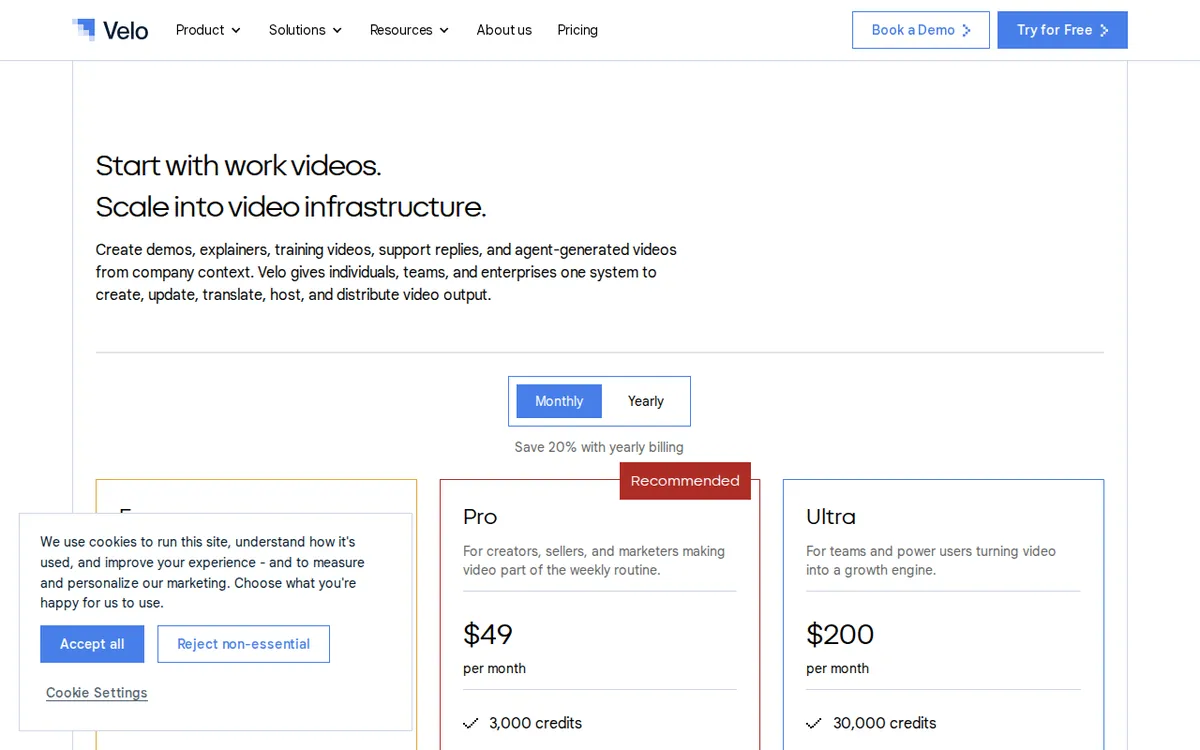
Figure: usevelo.ai official pricing page, captured 2026-10-13.
Downloads vs. Share Links: The Watermark Split
This is the part the pricing page doesn’t make obvious at a glance, and it trips people up. Velo’s official wording says you can “share videos without watermarks” — true, if you send someone a share link. But “watermarked downloads by default” is also official wording, buried in the same section. So if you plan to download the finished MP4 file rather than just sending a link, the free version slaps a watermark on it no matter what. Removing the watermark from a downloaded file requires upgrading to Pro. If your workflow is link-sharing only (say, embedding in an email or sending a Slack link), the free tier’s lack of watermark holds up. If you need the actual video file for a slide deck or ad campaign, you’re paying.
Pro and Ultra: What Actually Changes When You Pay
Velo’s two published paid tiers, at list price, monthly billing:
Pro — US$49/month: 60 Velo minutes/month (4x the free quota), 1 seat, 3 voice clones, 1 avatar video a month, downloads without a watermark, 3 script-edit retries, 3 voice regenerations, access to all public AI avatars.
Ultra — US$200/month: 600 Velo minutes/month (40x the free quota), 3 seats, unlimited voice clones, 3 avatar videos, a custom personal avatar (VeloTwin — your own cloned digital presenter, not a stock one), up to 3 team members collaborating, 10 script-edit retries, 10 voice regenerations.
Enterprise: custom quote. Velo doesn’t publish a price or minimum for this tier anywhere on its site.
One gap worth flagging before you commit: Velo’s only listed discount is “Save 20% with yearly billing,” but the site does not publish what that annual number actually comes out to. We’re not going to multiply the monthly price by 12 and guess — that math might not match what Velo actually charges for annual plans, and the site simply doesn’t say. If you want the yearly rate, you’ll need to start the checkout flow to see it, or contact them directly. There’s no first-month discount and no promo code system. A few third-party review sites claim you can pay US$9.99 to strip the watermark without a full subscription — we checked the official pricing page and found no trace of that offer. It comes from a single unverified source, so we’re not listing it as real.
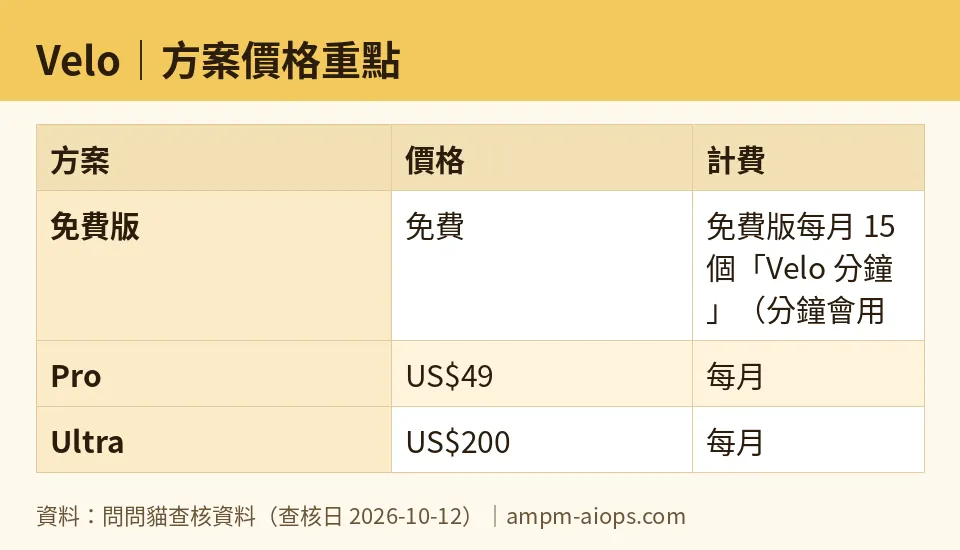
Figure: compiled by AMPM from its verified data (last verified 2026-10-12).
🔍 AMPM exclusive check
Three things Velo’s own pricing page does not spell out, which we checked separately:
First, the reset timing. Velo states the free quota is monthly, but our check found language suggesting part of the allowance expires on a shorter, 24-hour cycle rather than simply rolling over as one clean monthly bucket. The official page doesn’t clarify this distinction anywhere — it just says the limit is monthly. If you’re banking minutes for a bigger project later in the month, don’t assume they’re sitting there untouched.
Second, what happens when you run out. Nothing on the pricing page says whether you’re blocked outright, throttled, or nudged to upgrade mid-project once your 15 minutes are gone. We found no published answer either way.
Third, commercial use. Velo’s free tier says nothing — not a yes, not a no — about whether videos made on the free plan can be used commercially. For a tool explicitly marketed as a “business video” generator, that’s a real gap for anyone testing it for client or company work before paying. Treat the free tier as sandbox-only until you’ve confirmed otherwise directly with Velo.
Everything else — the 15-minute free quota, 1 seat, 1 voice clone, 1 avatar video, the US$49 and US$200 list prices, and the included quotas on each paid tier — matches Velo’s own pricing page exactly as of this check.
☀️ AMO, the budget-minded cat

AMO looks at tools from one angle only: is the free version actually enough, or are you quietly being pushed to pay? On Velo, the free plan gets a mixed grade. Fifteen Velo minutes a month, spent across generation, narration, and rendering, is barely enough for one short test video — not a real production habit. One avatar video a month and one voice clone mean you get exactly one attempt before you’re back to scratch. If all you need is to try the tool once, see if the AI avatar looks decent, and share a link (not a downloaded file) with a colleague, the free tier covers that — no watermark on the shared link, full editor access, no cost.
But the moment you need a downloadable file, the free tier stops being free in practice: watermarked downloads are the default, and removing that stamp needs the US$49/month Pro plan. AMO’s take: paying is worth it only if you’re making videos regularly — Pro’s 60 minutes/month is four times the free allowance and removes the watermark, which is the main reason anyone upgrades in the first place. For a single one-off video sent as a link, don’t pay. For anything you need to download clean or repeat monthly, the free plan runs out almost immediately, and AMO would skip straight to Pro rather than fight the 15-minute ceiling.
Verdict: who should use it, who should skip it
Use Velo’s free plan if you just want to see what an AI-avatar business video looks like, and you’re fine sharing a link instead of a downloadable file. One video, one voice clone, 15 minutes of processing — enough for a single test, not a workflow.
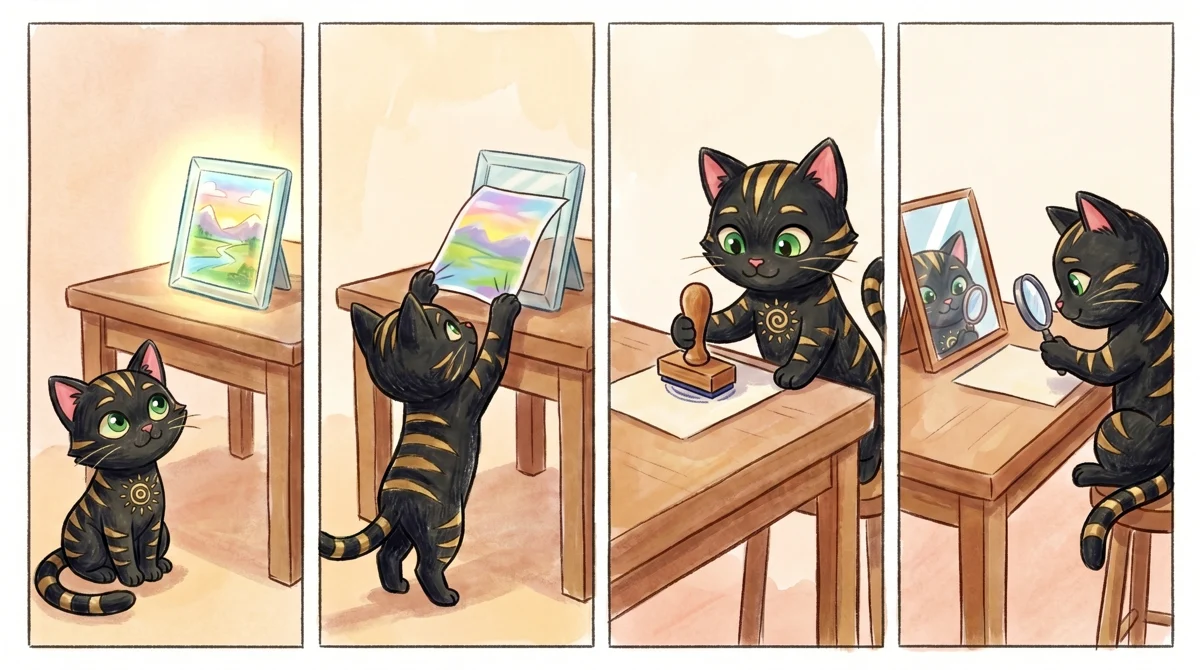
Illustration: Viewing through a shared link stays clean, yet downloading the file leaves an unmistakable watermark across your delivery.
Upgrade to Pro (US$49/month) if you need clean downloaded files without a watermark and make videos somewhat regularly — the 60-minute monthly quota and 3 voice clones are a real jump from free.
Go Ultra (US$200/month) only if you need a custom personal avatar (VeloTwin), team collaboration for up to 3 people, or you’re producing close to 600 minutes of video content a month. That’s a big quota, and Velo doesn’t publish anything between Ultra and a custom Enterprise quote, so there’s no middle ground if your needs sit above Pro but below full enterprise scale.
Skip Velo entirely, for now, if you need clear answers upfront on commercial usage rights or exact quota reset behavior — the official page doesn’t spell those out, and our check didn’t turn up a public answer either.
Written: 2026-10-13 Price last verified: 2026-10-12 Tool last health-checked: 2026-10-13
🔗 Related on AMPM
📎 Sources
All prices and quotas in this article come from AMPM’s verified dataset for Velo (last verified 2026-10-12); primary sources:
🐾 Meet the cats: AMO and PIMI

AMPM is a Taiwan-based AI-tool pricing watchdog. Our motto: ask before you subscribe. Two cats argue every tool from two sides:
- ☀️ AMO — the budget-minded cat. Always asks: is the free tier enough, and is paying actually worth it?
- 🌙 PIMI — the performance-minded cat. Cares about whether it works well, fast, and gets your job done.

When they are done arguing, you know whether to pay. Every number is checked by us, with the verification date at the end.
🐾 Our sister sites also checked
Read next
- Velo Full breakdown: pricing, features and real-world limits
- Velo Is the free quota enough?
- Velo Alternatives
- Free plan limits for every AI tool we track
More verified articles on this tool
- [Use cases] Velo Free vs Paid: Is the No-Watermark Claim Actually Free?
- [FAQ] Velo Pricing: How Far the Free Tier Goes, and Is Pro Worth It?
- [Review] Velo Free Tier: The Watermark on Downloads, and Why the Monthly Quota Won't Go Far
