[Review] Veo Free vs Paid: Which Google Plan Is Actually Worth Paying For?
- Free tier: Yes
- Cheapest paid plan: US$4.99/mo and up
- Free quota: Google Flow has a daily quota of 50 points (with regional …
- Last checked: 2026-11-02
Article last updated: 2026-10-31



Veo is Google’s AI video generator. You type a prompt or hand it an image, and it returns a clip. Most people reach it through Flow, Google’s video-making workspace, and pay through a Google AI subscription.
This is our verdict after reading all the verified data. We didn’t test renders ourselves, so we won’t judge video quality. We’ll judge the pricing and the limits. Our angle is simple: Veo’s plans are easy to like at the bottom and murky in the middle. Three things annoyed us, and a few things are done well.
Prices vary by country; we checked from Taiwan, and the US$ figures below are the ones Google lists in dollars.
What the free tier gives you, and what it hides
Veo has a free tier. You need a Google account. The quota is 50 credits per day, and it resets daily. Credits are points that Flow deducts each time you generate a clip.
Three catches come with it.
First, it is region-locked. Not every country can use it. Google AI Studio, a separate developer playground, has its own free limits too, and the data doesn’t spell them out.
Second, free output carries a watermark.
Third, free output is not cleared for commercial use. If you want to post a clip on a client’s channel, the free tier isn’t built for that.
So “free” here means a daily trial for personal tinkering. It is a fair trial. It is not a production tool.
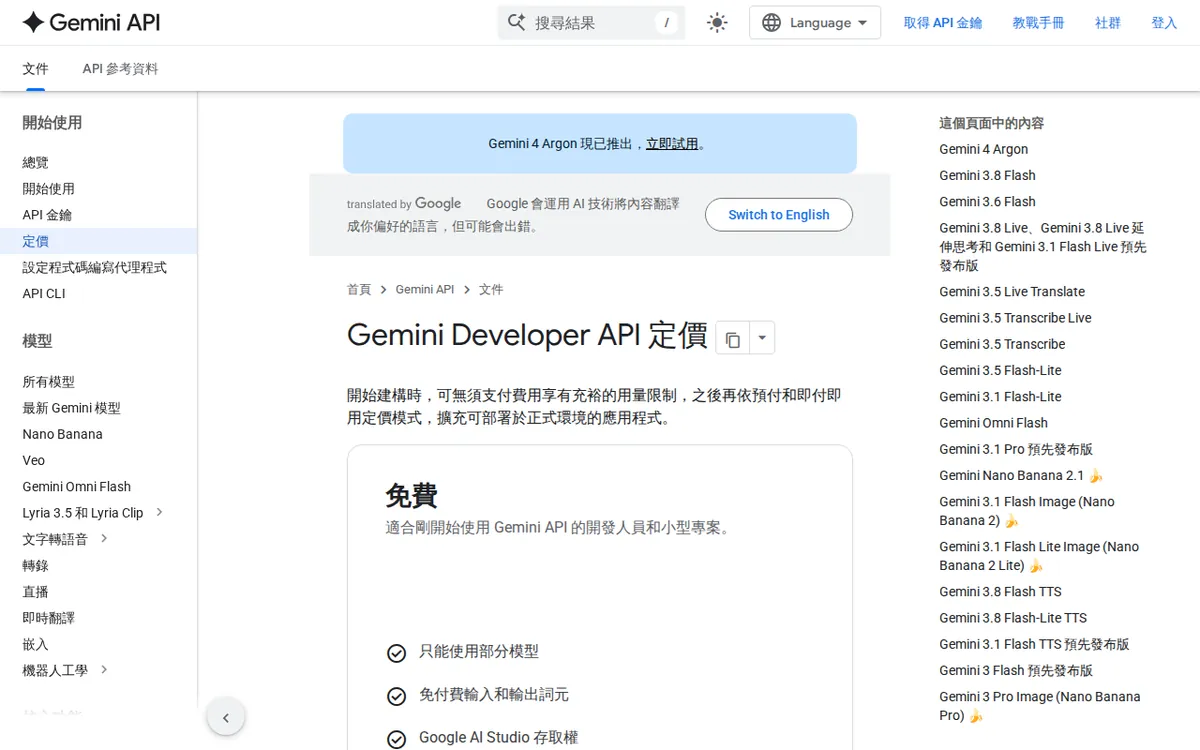
Figure: ai.google.dev official pricing page, captured 2026-10-31.
The paid ladder: four rungs, one big gap
All plans are monthly subscriptions. Here is what the data lists.
| Plan | Price | Flow credits per month | Notable extras |
|---|---|---|---|
| Google AI Plus | US$4.99 | 200 | 2x the free tier’s usage allowance, Gemini 3.1 |
| Google AI Pro | US$19.99 | 1,000 | 4x the free allowance, Gemini 3.1 Pro, 5TB storage |
| Google AI Ultra (5x) | US$99.99 | 10,000 | 5x Pro’s usage allowance, 4K upscaling, 20TB storage |
| Google AI Ultra (20x) | US$199.99 | 25,000 | 20x Pro’s usage allowance, 4K upscaling, 20TB storage |
Plus used to cost US$7.99. Google cut it to US$4.99 in June 2026. The data says this is a permanent cut, not a limited promotion.
Pro was formerly called Google One AI Premium. If you see the old name in older reviews, it’s the same product line.
Plus and Pro both exclude 4K upscaling. Upscaling means enlarging a finished clip to a higher resolution. You only get it from Ultra up.
Three things that are annoying or poor value
1. The headline free number isn’t on Google’s own subscription page. The 50-credits-a-day figure comes from secondary sources. Google’s subscription page didn’t list it when we checked on 2026-08-27. A number you can’t confirm from the vendor is a number that can change without notice. Add the region lock and the free tier becomes hard to plan around.
2. Credits are hard to price. The subscription sells you credits, but our data doesn’t say how many credits a single clip costs. It also doesn’t say how that depends on model or length. Compare that with the API. The API is the route developers use to call Veo from their own software, and it bills by the second. Veo 3.1 Lite at 720p is US$0.05 per second. Veo 3.1 Standard at 1080p is US$0.40 per second. Those are clear prices. The credit system is not.
The labels add to the confusion. Plus is described as 2x the free allowance and Pro as 4x. Yet Plus gives 200 credits a month and Pro gives 1,000. The multipliers and the credit counts don’t describe the same thing. And the free tier is counted per day while paid plans are counted per month. The data gives no official bridge between the two, so we won’t invent one.
3. The jump to 4K is steep. Pro costs US$19.99. The next rung, Ultra (5x), costs US$99.99. That’s the cheapest way to get 4K upscaling, along with 10,000 credits a month. If you need only 4K and not the volume, there’s no middle option in the data.
The top tier raises the question too. Ultra (20x) costs US$199.99 for 25,000 credits, against 10,000 on the cheaper Ultra. The official page lists no extra features for it. You’re buying volume and nothing else.
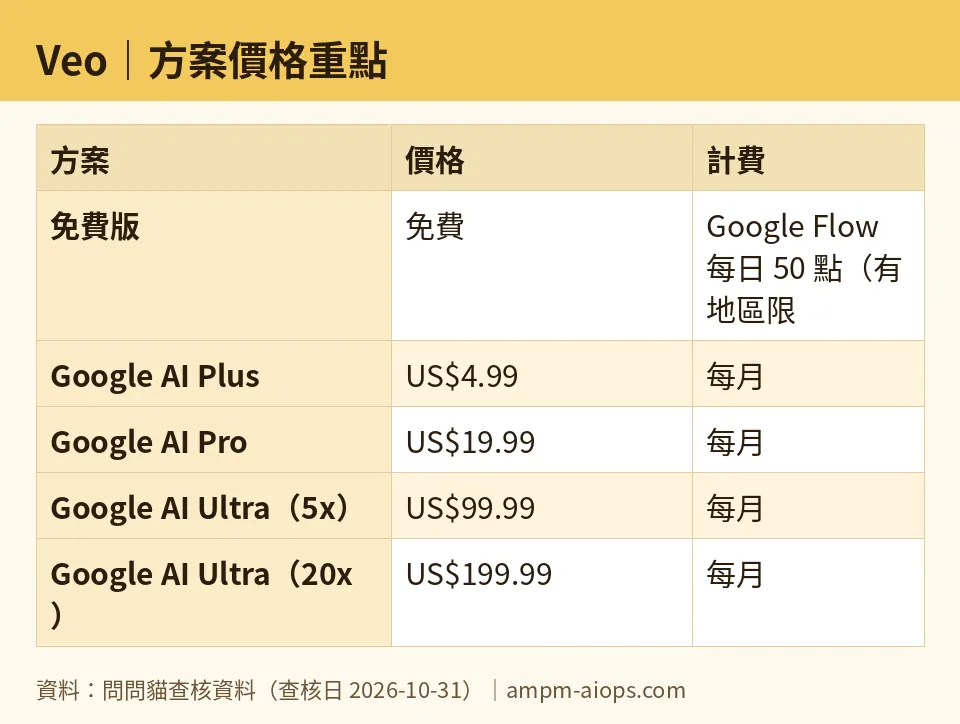
Figure: compiled by AMPM from its verified data (last verified 2026-10-31).
What it does well
- The entry price is low. Plus at US$4.99 a month is a cheap way to get past the free tier’s daily cap and region fuss. The permanent price cut helps.
- The free tier exists and resets daily. Many video tools offer one-time trial credits that run out. A daily refill lets you learn the tool without paying.
- Pro bundles real extras. Along with 1,000 credits, you get Gemini 3.1 Pro and 5TB of storage. If you’d pay for Google storage anyway, the video credits feel like a bonus.
- It handles both text-to-video and image-to-video. You can start from a prompt or from a picture.
- API pricing is transparent. Per-second rates for two quality levels make costs easy to estimate for developers.
🔍 AMPM exclusive check
Here is where our check differs from, or goes beyond, the vendor page.
- The free quota is unconfirmed by Google’s page. As of 2026-08-27, the official subscription page did not list 50 credits a day. We’ve kept it as a second-hand disclosure. Treat it as probable, not guaranteed.
- Plus and Pro numbers match Google’s pages. On 2026-08-11 we checked the Flow plan table on labs.google and the gemini.google/subscriptions page. Both agreed: Plus at US$4.99 and 200 credits, Pro at US$19.99 and 1,000 credits.
- Ultra numbers come straight from Google. On 2026-08-27 we checked gemini.google/subscriptions. It lists US$99.99 and 10,000 credits for the 5x tier, and US$199.99 and 25,000 credits for the 20x tier.
- No changes since. Automated daily re-checks from 2026-09-08 through 2026-10-31 found the prices and credit numbers unchanged.
- The 5x-to-20x gap is unexplained. The official page names no feature difference besides usage multiplier and Flow credits.
☀️ AMO, the budget-minded cat

Is free enough? For curiosity, yes. You get 50 credits every day, and they reset. That’s a real daily allowance. But there’s a watermark, no commercial use, and a region lock that may stop you cold. And the 50 figure isn’t on Google’s own page.
Is paying worth it? That depends on the rung.
Plus at US$4.99 a month is the easy call if the free tier works in your country and you keep hitting the daily ceiling. You get 200 credits a month and 2x the free allowance. It’s a small bill. Its weakness is that we can’t tell you how many clips 200 credits buys.
Pro at US$19.99 makes sense when you value the bundle. You get 1,000 credits, 4x the free allowance, Gemini 3.1 Pro and 5TB of storage. If storage and the Gemini model are things you’d buy anyway, the video credits come nearly free. If you only want video, you’re paying for a lot you won’t use.
Ultra at US$99.99 or US$199.99 is for people who earn money from video. The top tier gives 25,000 credits, but Google lists nothing else extra for the higher price. We’d skip it unless you’ve already burned through 10,000 credits in a month.
AMO’s rule: start free, move to Plus if you hit the wall, stop at Pro unless you need 4K.
🌙 PIMI, the performance-minded cat

PIMI wants to know whether Veo does the job. Our data can’t answer everything. We have no render-speed figures and no quality comparisons, and we won’t pretend otherwise. What we can read is the capability ladder.
Plus lists Veo 3.1 Lite and Standard. The API shows what those mean in output terms: Lite at 720p, Standard at 1080p. Lite costs US$0.05 a second; Standard costs US$0.40 a second. So the cheap model and the sharp model are priced far apart. If you care about sharpness, expect to spend more per clip.
4K is the next step, and it’s gated. Plus and Pro exclude 4K upscaling. Only the Ultra tiers include it, at US$99.99 and US$199.99 a month. For anyone delivering finished work to clients, that gate matters more than the credit count.
The free tier is the weakest on the job. It’s watermarked and not for commercial use, so it can’t produce deliverables. Treat it as a testing bench for prompts.
PIMI’s rule: test your prompts on the free tier, then pay for the resolution you need to deliver. If 1080p is enough, Pro’s 1,000 credits are the sensible workhorse. If clients want 4K, Ultra is the only route the data shows.
Verdict: who should use it, who should skip it
Use it if:
- You want to try AI video without paying. The daily free credits are enough to learn the tool, if your region is supported.
- You’re a light user who hits the free cap. Plus at US$4.99 is cheap.
- You already want Google storage and Gemini. Pro at US$19.99 bundles them with 1,000 credits.
- You need 4K output and have the budget for Ultra.
- You’re a developer who wants predictable costs. The per-second API pricing is clear.
Skip it if:
- You need commercial-ready clips without paying. Free output is watermarked and not cleared for commercial use.
- Your region isn’t supported. The free tier is region-locked.
- You want to know exactly what a clip costs before you commit. Credit costs per clip aren’t in our data.
- You only want 4K and a modest volume. There’s no cheap path to it.
- You’re eyeing the US$199.99 tier for features. The official page lists none beyond volume.
Written: 2026-10-31 Price last verified: 2026-10-31 Tool last health-checked: 2026-10-31
🔗 Related on AMPM
📎 Sources
All prices and quotas in this article come from AMPM’s verified dataset for Veo (last verified 2026-10-31); primary sources:
🐾 Meet the cats: AMO and PIMI

AMPM is a Taiwan-based AI-tool pricing watchdog. Our motto: ask before you subscribe. Two cats argue every tool from two sides:
- ☀️ AMO — the budget-minded cat. Always asks: is the free tier enough, and is paying actually worth it?
- 🌙 PIMI — the performance-minded cat. Cares about whether it works well, fast, and gets your job done.

When they are done arguing, you know whether to pay. Every number is checked by us, with the verification date at the end.
🐾 Our sister sites also checked
Read next
- Veo Full breakdown: pricing, features and real-world limits
- Veo Is the free quota enough?
- Veo Alternatives
- Free plan limits for every AI tool we track
More verified articles on this tool
- [Pitfalls] Veo Pricing: The Free Tier Limit, a Quiet Rename, and the API Bill That Adds Up Fast
- [Verified] Google Veo's Free Daily Points Look Generous, but Come With a Hidden Regional Catch
