Ask Cat › AI Tool Summary › Wispr Flow
[Pricing] Wispr Flow pricing: the free tier's word limit depends on which device you use
- Free tier: There is
- Cheapest paid plan: US$15/mo and up
- Free quota: Free version transcription character limit: 2,000 characters/week on …
- Last checked: 2026-10-06
Article last updated: 2026-10-07



Wispr Flow is a voice dictation tool — you talk, and it types the words into whatever app you’re using, from Slack to a text editor. Its pricing page lists one free tier and one paid plan, but the free tier isn’t a single number. It’s three different numbers, one per device, and that’s the detail most people miss when they’re checking Wispr Flow’s free tier limits before deciding whether to pay.
Three free tiers, not one
Here’s what the free plan actually gives you, according to Wispr Flow’s own pricing page, verified 2026-10-06:
- Desktop: 2,000 words per week
- iPhone: 1,000 words per week
- Android: unlimited
All three reset weekly. If you burn through your desktop quota on Monday, you wait until the following week for it to refill — there’s no mid-week top-up option mentioned anywhere on the pricing page.
There’s also a separate cap on meeting transcription (Wispr Flow can transcribe meetings, not just dictate text you’re actively speaking). The company doesn’t publish the actual weekly number for that cap. The only detail it discloses is that recordings under five minutes don’t count against whatever that limit is. So you know there’s a ceiling, but not where it sits until you hit it.
The device gap is the real story here. An Android user gets unlimited dictation for free. An iPhone user gets half the desktop allowance. If you’re choosing a phone partly based on what you can do for free with this tool, that’s a real variable — not a minor footnote.
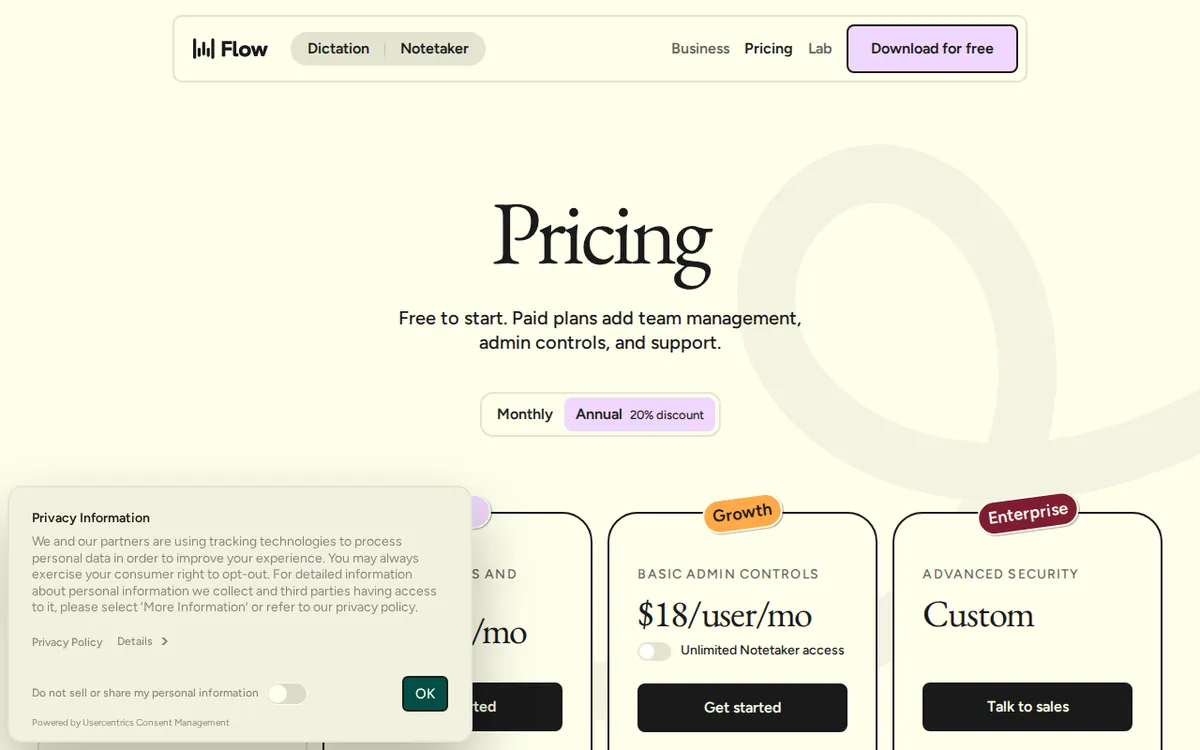
Figure: wisprflow.ai official pricing page, captured 2026-10-07.
What US$15 a month buys you
The paid tier is called Pro. It costs US$15 a month if you pay monthly. If you pay for a year upfront, Wispr Flow’s site lists the monthly-equivalent price as US$12, which it describes as a 20% discount over the monthly rate. The pricing page doesn’t show a separate annual total figure — just that US$12-a-month average — so that’s the number to go by if you’re comparing monthly vs. annual.

Illustration: Free dictation allowances depend entirely on your hardware, ranging from a scarce trickle on one phone to an infinite stream on another.
Pro removes the word-count ceiling entirely. You get unlimited dictation across desktop, iPhone, and Android, instead of juggling three different weekly budgets. That’s the whole pitch: one plan, no limits, no device-by-device math.
Who actually needs this? Wispr Flow’s own plan description points at “reputable dictation users who are hitting the weekly word limit” — people who dictate long documents, write a lot of email, or use voice as their main input method and keep running into the 2,000-word desktop wall or the 1,000-word iPhone wall before the week is out.
The cheapest way to stay free longer
If you’re not ready to pay, the free tier still has room to maneuver, depending on your setup. Since Android dictation has no weekly cap at all, doing your heavy dictation work on an Android device — and saving desktop or iPhone for lighter use — stretches the free tier further than treating all three devices the same way. There’s no official “upgrade path” below Pro; it’s free or US$15/month (or US$12/month averaged annually). There’s no cheaper paid tier, no per-use pricing, and no team discount mentioned on the pricing page.
🔍 AMPM exclusive check
We re-checked Wispr Flow’s pricing page daily from 2026-09-12 through 2026-10-05, then again on 2026-10-06 and 2026-10-07. Every one of those checks came back identical: US$15/month for Pro, US$12/month average for annual billing, and the same three-way free-tier split (2,000 words/week desktop, 1,000 words/week iPhone, unlimited Android). Nothing moved in nearly a month of daily verification — this is a stable price page, not one that changes without notice.
Where our check adds something the vendor page doesn’t spell out: the meeting-transcription limit. Wispr Flow’s pricing page tells you a cap exists and tells you that recordings under five minutes are exempt from it, but at no point does it state the actual weekly number. We looked for that figure directly on the pricing page and it simply isn’t there. If meeting transcription is the main reason you’d use this tool, you won’t know your real ceiling until you hit it — budget for that uncertainty rather than assuming it mirrors the dictation word limits.
☀️ AMO, the budget-minded cat

AMO only cares about one thing: is free enough, or is paying actually worth it? For Wispr Flow, the honest answer splits by device. An Android user dictating text gets an unlimited weekly quota for free — there is no dictation reason for that person to pay US$15 a month, full stop. A desktop user capped at 2,000 words a week, or an iPhone user capped at 1,000, is in a different spot: once you’re writing more than that in a normal week, free stops being free in any practical sense, because you’re either waiting out the weekly reset or getting cut off mid-task.
The US$15/month price (or US$12/month if you commit to a year) only pays for itself if you’re actually hitting those caps regularly. If you dictate occasionally — a few emails, a few notes — the free tier’s weekly reset is generous enough that paying buys you convenience, not capability. AMO’s take: don’t upgrade because the number sounds small. Upgrade only after you’ve actually hit the wall on your device, since the wall is a different height depending on whether you’re on desktop, iPhone, or Android.
Verdict: who should use it, who should skip it
Use Wispr Flow’s free tier if you’re on Android and your main use is dictation — the unlimited quota means you may never need to pay. It’s also fine for occasional desktop or iPhone dictation, as long as you’re comfortably under 2,000 or 1,000 words a week respectively.
Pay for Pro if you’re a desktop or iPhone user who regularly blows past those weekly word counts, or if you want one unlimited allowance across all your devices instead of tracking three separate quotas. At US$15/month (or US$12/month on the annual plan), it’s a straightforward subscription with no usage-based pricing to calculate.
Skip Pro if you’re Android-only and your use case is pure dictation — you’re already unlimited for free, and the paid plan adds nothing there. Also be cautious if meeting transcription is your primary use: the weekly cap for that feature isn’t published, so you can’t confirm in advance whether Pro actually solves your bottleneck or whether you’ll run into a different, unstated limit.
Written: 2026-10-07 Price last verified: 2026-10-06 Tool last health-checked: 2026-10-07
🔗 Related on AMPM
📎 Sources
All prices and quotas in this article come from AMPM’s verified dataset for Wispr Flow (last verified 2026-10-06); primary sources:
🐾 Meet the cats: AMO and PIMI

AMPM is a Taiwan-based AI-tool pricing watchdog. Our motto: ask before you subscribe. Two cats argue every tool from two sides:
- ☀️ AMO — the budget-minded cat. Always asks: is the free tier enough, and is paying actually worth it?
- 🌙 PIMI — the performance-minded cat. Cares about whether it works well, fast, and gets your job done.

When they are done arguing, you know whether to pay. Every number is checked by us, with the verification date at the end.
🐾 Our sister sites also checked
Let's take a look at these
- Wispr Flow Comprehensive Introduction: Pricing, Features, and Actual Limitations
- Wispr Flow Is the free quota enough?
- Wispr Flow Alternatives
- Comprehensive Free Quota List for All Tools
More verified articles on this tool
- Wispr Flow Is Free and Unlimited on Android but Caps Desktop at 2,000 Words a Week: Is US$15 Pro Worth It? (Checked Sept 2026)
- How to Get the Most Out of Wispr Flow's Free 2,000 Words a Week (And Why Android Is Unlimited) — Verified 2026-09-04
