[How-to] Zapier Free vs Paid: Where the Free Tier Quietly Stops You
- Free tier: There is
- Cheapest paid plan: US$29.99/mo and up
- Free quota: 100 tasks per month; two-step Zaps only; daily cap on Copilot …
- Last checked: 2026-10-17
Article last updated: 2026-10-17



Zapier sells itself on a big promise: connect 7,000+ apps and let them talk to each other without writing code. The free plan is real, and for a beginner it is enough to learn the whole idea. But the free plan stops you in three specific places, and none of them are the first thing you see on the pricing page. This piece gets you building on the free tier today, shows you exactly where it runs out, and tells you whether the jump to a paid plan is worth it for the way most people actually work.
First, two words you’ll see everywhere. A Zap is one automation: a trigger (“when a new email arrives”) and one or more actions (“add a row to a spreadsheet”). A task is one action Zapier runs on your behalf — every time a Zap fires and does something, that’s one task counted against your monthly allowance. Keep those two straight and the rest of this makes sense.
What you can actually build on the free plan
Start here, because the free tier is a genuine sandbox, not a crippled demo.
On the free plan you get 100 tasks per month. That’s 100 individual actions. One Zap that files an email attachment to cloud storage = one task each time it runs. So 100 tasks might be 100 saved attachments, or a mix across a few Zaps. For learning and for a light personal workflow, 100 goes further than it sounds.
Here’s a first build that works entirely inside the free limits:
- Sign up and open the Zap editor.
- Trigger: pick an app you already use — a form tool, Gmail, a calendar. Choose an event like “New response” or “New email matching a search.”
- Action: pick a second app — a spreadsheet, a notification tool — and map the fields across. Zapier walks you through connecting each account.
- Test it with one record, then turn it on.
That two-app, trigger-plus-one-action flow is the core skill. Once it works, you understand Zapier. You can also try Copilot, Zapier’s built-in AI helper that drafts a Zap from a plain-English description (“when someone fills my contact form, email me”). On the free plan Copilot has a daily message cap — you get a set number of AI requests per day — so use it to scaffold a Zap, not to chat.
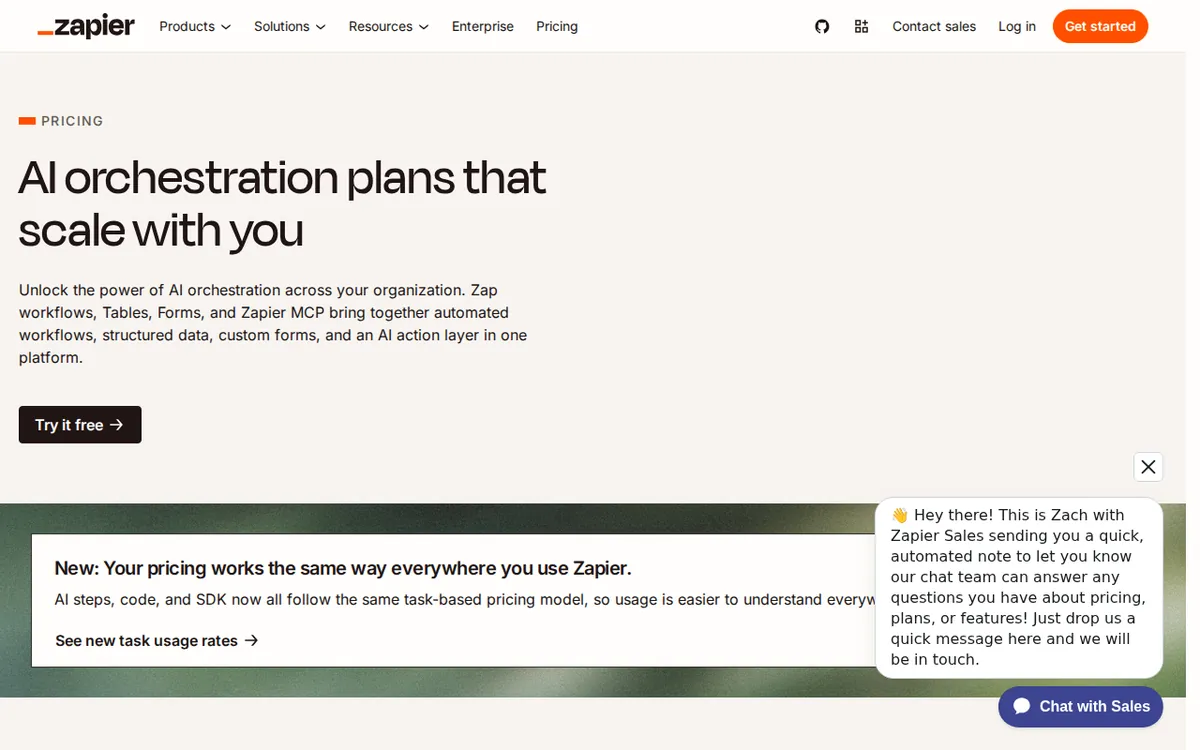
Figure: zapier.com official pricing page, captured 2026-10-17.
The three walls the free plan hits
This is the part the big headline on the pricing page doesn’t spell out. You find these limits by building, not by reading.
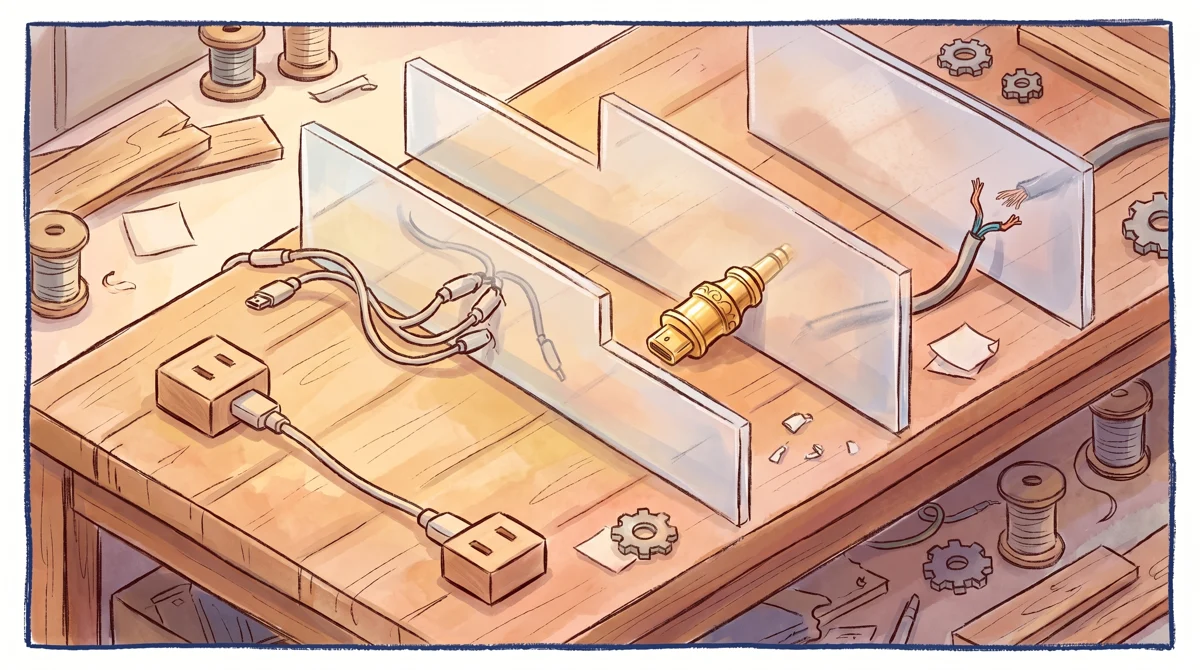
Illustration: While a simple two-point connection passes freely, multi-step links, specialized premium plugs, and custom wiring stop short at physical barriers.
Wall 1: two steps, and that’s the ceiling. Free Zaps are capped at 2 steps — one trigger, one action. The moment you want “when a form comes in, add it to the sheet and send a Slack message,” you’ve hit a three-step flow, and that’s a multi-step Zap, which the free plan doesn’t allow. Most real automations are multi-step. This is the wall people hit first and fastest.
Wall 2: no webhooks. A webhook is a generic connector — it lets a Zap talk to an app that isn’t in Zapier’s pre-built list, by sending or receiving raw data at a URL. If the app you need isn’t one of the 7,000+ with a ready-made integration, webhooks are how you bridge the gap. The free plan blocks them. For a beginner this may not matter for weeks. For anyone connecting a custom or niche tool, it’s a hard stop on day one.
Wall 3: no Premium Apps. Zapier tags some popular business apps as Premium — the exact list is Zapier’s call and it shifts over time. If your workflow leans on one of those, the free plan won’t connect it. Check the specific apps you need before you invest hours building, because discovering a Premium lock halfway through a build is the most common frustration.
A fourth, softer limit: the 100-task cap resets monthly, and tasks are counted per action, not per Zap. A single busy Zap — say, one firing on every inbound email during a busy week — can burn through 100 tasks well before month’s end. When you hit the cap, your Zaps pause until the next cycle.
What upgrading actually unlocks
The first paid tier is Professional, at US$29.99 billed monthly. Paid annually, Zapier lists an average of US$19.99 per month — note that this is the per-month figure for annual billing, not a separate price you pay once. (The data here gives no single yearly total, so I won’t invent one.)
Professional is the plan that removes the three walls above: multi-step Zaps, webhooks, and Premium Apps come with it. If you’ve hit any of those limits and your automation saves you real time, this is the upgrade that matters. Everything below it is a question of scale, not capability.
Team is US$103.5 billed monthly, or an average of US$69 per month on annual billing. Team adds shared workspaces and seats — a seat is one named user who can log in and edit — so this is for a group that builds and maintains Zaps together, not one person.
Enterprise is quote-only; you contact Zapier for pricing. The data gives no number, so there isn’t one to report.
The honest read: the jump from free to Professional is a real step up in what you can build. The jump from Professional to Team is about who uses it, not what it can do.
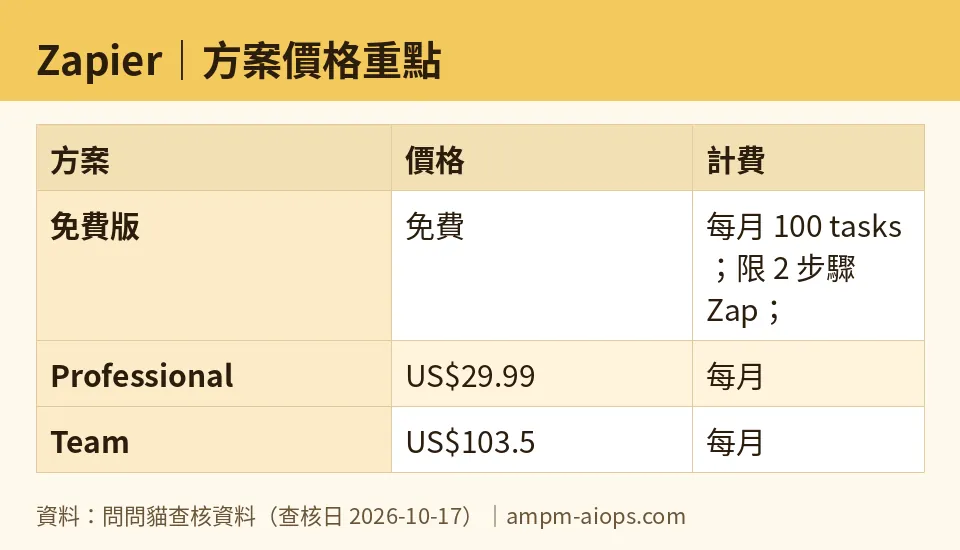
Figure: compiled by AMPM from its verified data (last verified 2026-10-17).
🔍 AMPM exclusive check
Two things we verified that the pricing page doesn’t put up front:
- The “2-step” ceiling is the real free-plan gate, not the task count. The big number vendors lead with is the task allowance. But most beginners don’t run out of tasks first — they hit the 2-step wall the moment they want a Zap to do two things at once. That limit sits a couple of layers down from the headline. We confirmed it’s the free plan’s binding constraint for typical use.
- Webhooks and Premium Apps are free-plan exclusions, not just “upgrade perks.” Framed as paid features, they read like bonuses. In practice they’re blockers: if your tool needs a webhook or sits on the Premium list, the free plan can’t do your job at all, regardless of how few tasks you use.
One caveat we won’t dress up: this tool entered our list as an auto-queued challenger and has had one verification pass, not our full three-way manual cross-check. Every price and quota above matches Zapier’s official pricing page as read on 2026-10-17, and the daily-Copilot cap and Premium/webhook exclusions are stated by the vendor — but for commercial terms, confirm against the live page at the moment you buy, since Zapier adjusts its Premium list and limits without much notice.
Verdict: who should use it, who should skip it
Stay on free if you’re learning, or you run one or two simple, two-step automations that connect standard apps and fire lightly. The 100-task reset is generous for personal use, and you lose nothing by starting here. Everyone should start here.
Upgrade to Professional (US$29.99/month, or US$19.99/month on annual billing) if you’ve hit any of the three walls — you need a Zap to do more than one thing, you need a webhook, or you need a Premium App — and the automation clearly saves you more time than the price costs. That’s the whole test. If it doesn’t save you real hours, don’t upgrade.
Look at Team (US$103.5/month, or US$69/month annual) only if multiple people need to build and own Zaps in a shared space. If it’s just you, Professional is the right ceiling.
Enterprise is a sales conversation; there’s no public number to weigh, so treat it as a different kind of decision entirely.
The trap to avoid: paying for Professional and then running the same two-step Zaps you could’ve run for free. Upgrade when a wall stops you, not before.
Written: 2026-10-17 Price last verified: 2026-10-17 Tool last health-checked: 2026-10-17
🔗 Related on AMPM
📎 Sources
All prices and quotas in this article come from AMPM’s verified dataset for Zapier (last verified 2026-10-17); primary sources:
🐾 Meet the cats: AMO and PIMI

AMPM is a Taiwan-based AI-tool pricing watchdog. Our motto: ask before you subscribe. Two cats argue every tool from two sides:
- ☀️ AMO — the budget-minded cat. Always asks: is the free tier enough, and is paying actually worth it?
- 🌙 PIMI — the performance-minded cat. Cares about whether it works well, fast, and gets your job done.

When they are done arguing, you know whether to pay. Every number is checked by us, with the verification date at the end.
🐾 Our sister sites also checked
Let's take a look at these
- Zapier Comprehensive Introduction: Pricing, Features, and Actual Limitations
- Zapier Is the free quota enough?
- Zapier Alternatives
- Comprehensive Free Quota List for All Tools
